

↩️ RMA - Returns to Suppliers
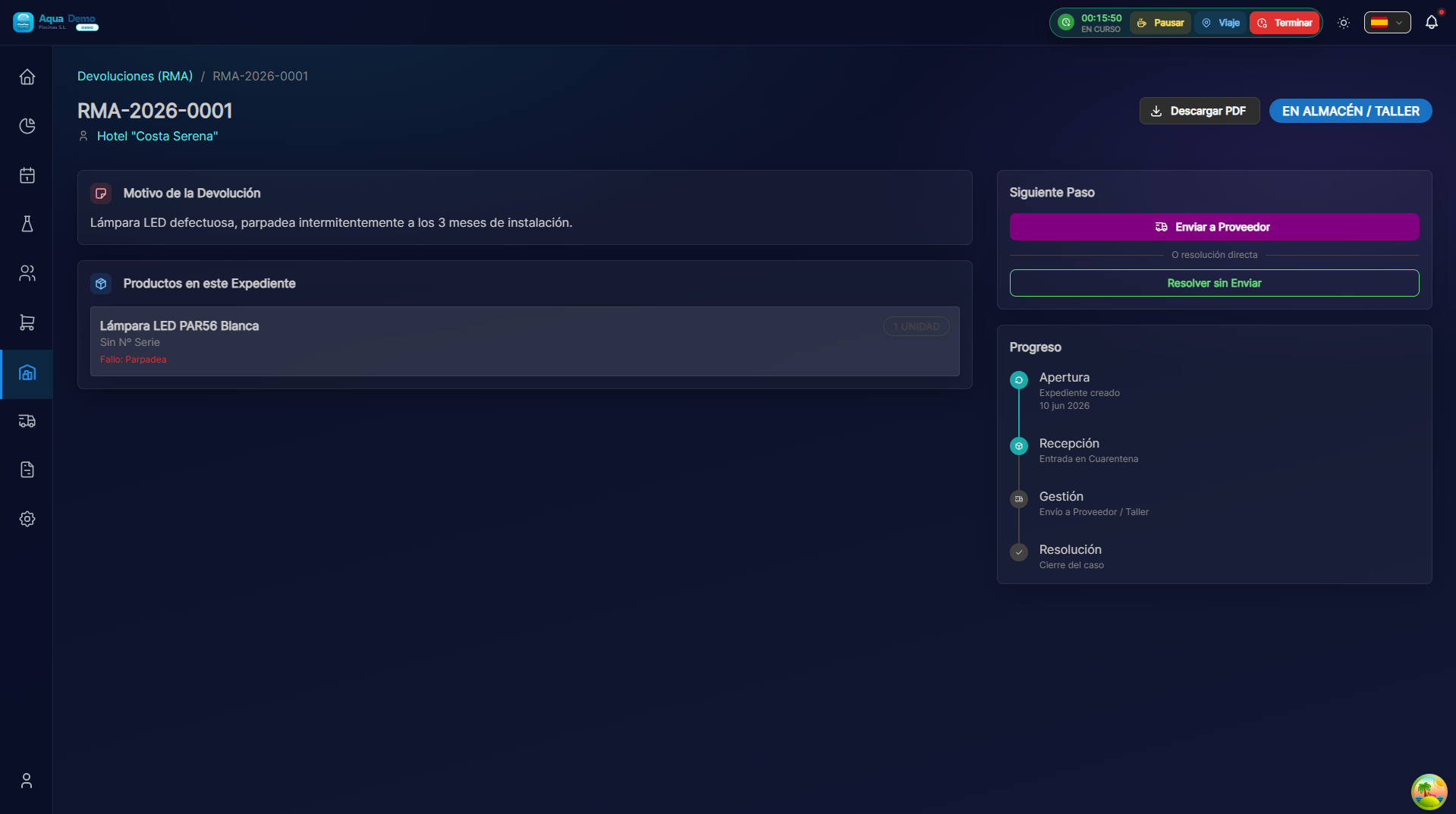
Captura con datos demo AquaDemo.Capture with AquaDemo demo data.
TL;DR
RMA (Return Merchandise Authorization) allows you to manage returns of defective, damaged or incorrect products to your suppliers. Control the entire cycle: request, authorization, shipping and credit/replacement.
What is it for?
When do you need an RMA:
- 📦 You received a product damaged in transport
- 🔧 The product is factory defective
- ❌ They sent you the wrong reference
- 📅 Expired or soon to expire product
- 💰 The supplier accepted commercial return
What the system controls:
- ✅ Reserved inventory (not available for sale)
- ✅ Return status
- ✅ Shipping documentation
- ✅ Credits received or exchange products
🟢 Create a Simple RMA
Step 1: Locate the product
- Go to Purchases → RMA → New RMA
- Or from product detail → ↩️ Request return
- Find the product to return:
- By barcode
- By name
- By purchase delivery note number
Step 2: Define the reason
Complete the return information:
| Field | What to wear | Example |
|---|---|---|
| Supplier | Who do you return | PoolTech S.L. |
| Reason | Why do you return it | Defective product |
| Quantity | How many units | 2 |
| Lot | Affected lot number | LOT-2025-A123 |
| Delivery note of origin | When did you buy it | ALB-2025-0045 |
| Description | Problem details | "The pump does not start, it makes noise but it does not suck" |
Step 3: Photos/documentation
Attach evidence:
- 📸 Photo of visible damage
- 📸 Product label photo
- 📸 Photo of the packaging (if damaged)
- 📄 Scanned purchase note
💡 Photos greatly accelerate the acceptance of the RMA by the supplier
🟡 RMA States
An RMA goes through these states:
🟡 BORRADOR
   └─ Estás preparando la solicitud
   └─ El producto sigue en stock disponible

🟠 PENDIENTE AUTORIZACIÓN
   └─ Enviada al proveedor
   └─ Producto reservado (no se puede vender)

🟢 AUTORIZADO
   └─ Proveedor acepta la devolución
   └─ Te da número de autorización

🔵 EN TRÁNSITO
   └─ Has enviado el producto
   └─ Agencia de transporte lo tiene

✅ RECIBIDO/CREDITADO
   └─ Proveedor confirmó recepción
   └─ Has recibido el crédito o el cambio

❌ RECHAZADO
   └─ Proveedor no acepta la devolución
   └─ Debes revisar el motivo
🔴 Complex RMA: Multiple Products
When you need to return several products from the same supplier:
- In the RMA, click ➕ Add another product
- Repeat the process for each reference
- They must all be from the same supplier
RMA #RMA-2025-012 - Proveedor: PoolTech S.L.

Productos a devolver:
├─ Bomba 1CV (REF: BOM-001) - Cant: 1 - Defectuosa
├─ Filtro arena 500 (REF: FIL-500) - Cant: 1 - Dañado en transporte
└─ Cloro granulado 5kg (REF: CLG-5K) - Cant: 3 - Caducado

Total ítems: 5 unidades
Valor estimado: 450,00 €
💰 Types of Resolution
The supplier can resolve the RMA in several ways:
| Type | What's up | When to use |
|---|---|---|
| Credit | They pay you the money | You don't need the product again |
| Change | They send you new product | You need the same reference |
| Change for similar | Replacement with another reference | They no longer manufacture that model |
| Repair | They repair it and return it to you | High value product |
| Discount | They make you a price for the defect | Minor defect, you agree to keep it |
📦 Shipping Management
When the provider accepts:
- The system generates shipping label (if provided by the supplier)
- Or print departure note of the RMA
- You prepare the package with:
- Product in its original packaging (if possible)
- Copy of the printed RMA
- Supplier authorization label
Tracking
- Write down the transport agency and tracking number
- The system can automatically track with some agencies
- Change status to "In transit" when the agency picks up
📊 Reports and Control
Pending RMAs
Go to Purchases → RMA → Pending to see:
- What returns are you waiting to authorize?
- What shipments do you have in transit
- What credits are you waiting for?
History by supplier
Consult the history to negotiate better conditions:
RESUMEN RMAs 2024 - PoolTech S.L.

Total RMAs: 12
Motivos:
├─ Defecto fábrica: 5 (42%)
├─ Daño transporte: 3 (25%)
├─ Caducado: 2 (17%)
└─ Error pedido: 2 (16%)

Tiempo medio resolución: 8 días
Valor total devuelto: 2.340 €
💡 Pro Tips
💡 Read the return policy Each supplier has deadlines (30 days, 90 days...). Don't let time pass or you will lose the right.
💡 Immediate photos If transportation leaves the package damaged, take photos BEFORE opening. Some providers complain to the agency.
💡 Lots are important Always indicates the lot. A supplier may have a defective batch and accept returns easier.
💡 Negotiate conditions If you send many RMAs to a supplier, ask for better conditions: prior authorization, collection at your warehouse, etc.
❓ Frequently Asked Questions
How long does an RMA take to resolve? Depends on the provider:
- Authorization: 24-72h
- Pickup/shipping: 2-5 days
- Receipt and credit: 3-10 days
Estimated total: 1-3 weeks
Can I cancel an RMA? Only in "Draft" or "Pending Authorization" status. If you are already authorized, contact the provider.
What happens to stock during RMA? The product is "reserved" (it does not appear as available but is still in your warehouse). When it ships, it is definitely discounted.
What if the supplier rejects the RMA? You can:
- Accept and keep the product
- Request review with more evidence
- Escalate to commercial management
See also
- Orders - Purchasing management
- Receipts - Merchandise entry control
- Inventario - Stock management
RMA Flow (Diagram)
TÚ (Comprador)              PROVEEDOR
     │                          │
     │  1. Detectas problema    │
     │  2. Creas RMA en sistema │
     │                          │
     │  3. Envías solicitud     │
     │────────────────────────>│
     │                          │  4. Revisa evidencias
     │                          │  5. Decide: Aceptar/Rechazar
     │                          │
     │<────────────────────────│  6. Autorización + nº RMA
     │                          │
     │  7. Preparas envío       │
     │  8. Envías producto      │
     │────────────────────────>│
     │                          │  9. Recibe y revisa
     │                          │ 10. Emite crédito/cambio
     │                          │
     │<────────────────────────│ 11. Notificación resolución
     │                          │
     │ 12. Confirmas recepción  │
     │     del crédito          │
     │ 13. Cierras RMA          │