

Access
Field Work → Scan QR (/scan-qr). Open the pool or part if a visit is scheduled.
📱 QR Scanner
Estimated time: 2 minutes
Level: 🟢 Easy
Start your work with a scan
🎯 What is it for?
The QR scanner allows technicians to:
- ✅ Quickly identify a pool
- ✅ Start job automatically
- ✅ Create on-site emergency visits
✅ Available Functionality
Quick Scan
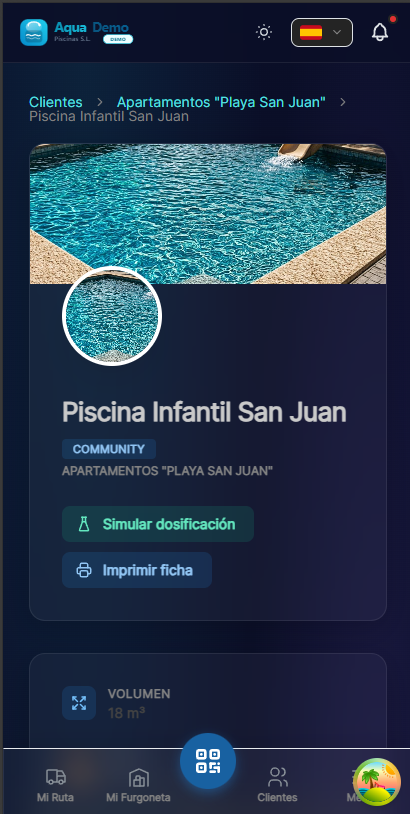
Captura con datos demo AquaDemo.Capture with AquaDemo demo data.
Scan Results
Case A: There is a visit scheduled today
🔧 How to use
Step 1: Access the scanner
- Open the technician app
- Go to "Scan QR" in the bottom menu
- Allow access to the camera
Step 2: Scan
- Point the camera at the QR code
- Wait for it to focus automatically
- The system recognizes the code instantly
Step 3: Automatic Action
- If there is a visit → Work starts and the report opens
- If there is no visit → Offer to create urgency
🚨 Create Emergency Visit
When you scan a pool without a scheduled visit:
💡 Advantages
| Without QR | With QR |
|---|---|
| Search pool in list | Point and scan |
| 30-60 seconds | 2-3 seconds |
| Possible error (similar pool) | Exact identification |
| Start manually | Auto start |
❓ Frequently Asked Questions
"Does it work without an internet connection?"
No, you need a connection to check the visit on the server.
"What if the QR is damaged?"
You can search for the pool manually by name or address.
"Can any technician scan any pool?"
Yes, but you can only start work if you have an assigned visit or create urgency.
"Can the scanner be used for other things?"
Currently only to identify pools. Future versions may include product scanning.
"Can the customer have the QR to report incidents?"
It's a good idea for future versions of the customer portal.
✅ Implementation Checklist
- [ ] Generate QR for all active pools
- [ ] Print on waterproof vinyl
- [ ] Install in engine room (1.20m height)
- [ ] Communicate the new functionality to technicians
- [ ] Test scan with each technician