

📚 PoolControl Pro Features
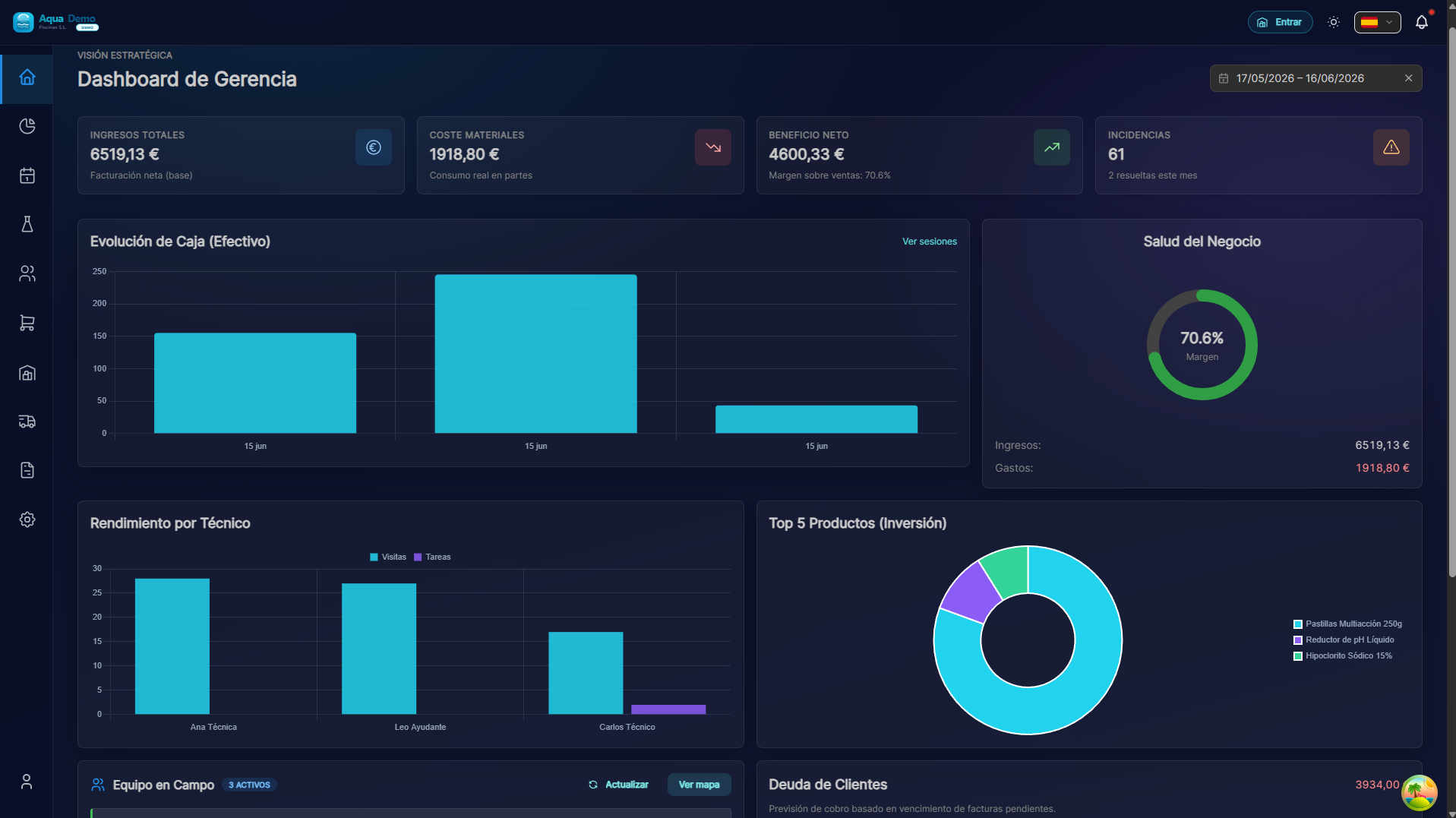
Captura con datos demo AquaDemo.Capture with AquaDemo demo data.
What will you find here? Detailed guides for each part of the program, explained step by step.
🗺️ Functional Map
PoolControl has 11 main modules. Each one is self-explanatory, but here's a summary so you know where to look:
👥 Clients & Pools
What it is for: Everything related to your clients and the pools you clean.
When to use:
- When you hire a new client
- When a client tells you "I have a second pool"
- When you need to know where a pool is (GPS)
- When you want to configure which products each pool uses
Main functions:
- Registration of clients (hotels, communities, individuals)
- Pool management (one or more per client)
- GPS system (exact coordinates)
- Geographic areas (organize by neighborhoods/cities)
- Personalized discounts per client
- Payment methods (All Inclusive, Fee+Consumption, Service Only)
📅 Planning
What it is for: Organize who goes to which pool and when.
When to use:
- Every week, to plan routes
- When a technician gets sick and visits have to be changed
- When it rains and everything has to be postponed
- When you want to see the workload of each technician
Main functions:
- Visual calendar (drag and drop)
- Assignment of technicians to swimming pools
- Mass rescheduling (rain mode)
- Master routes (visits that repeat themselves)
- Loading dock (pending work)
- Transfers between technicians
🔧 Technician App
What it is for: What your workers see on their mobile.
When to use:
- When a new technician needs to learn how to use the app
- When a technician says "my cell phone doesn't work"
- When you want to understand what your workers see
Main functions:
- Daily route (list of pools for the day)
- GPS navigation to the pool
- Work part (measure pH, mark tasks)
- Offline mode (works without internet)
- Van stock management
- Key scanner
- Chemical dosing: suggested products from readings and added to the consumption cart when marked Applied
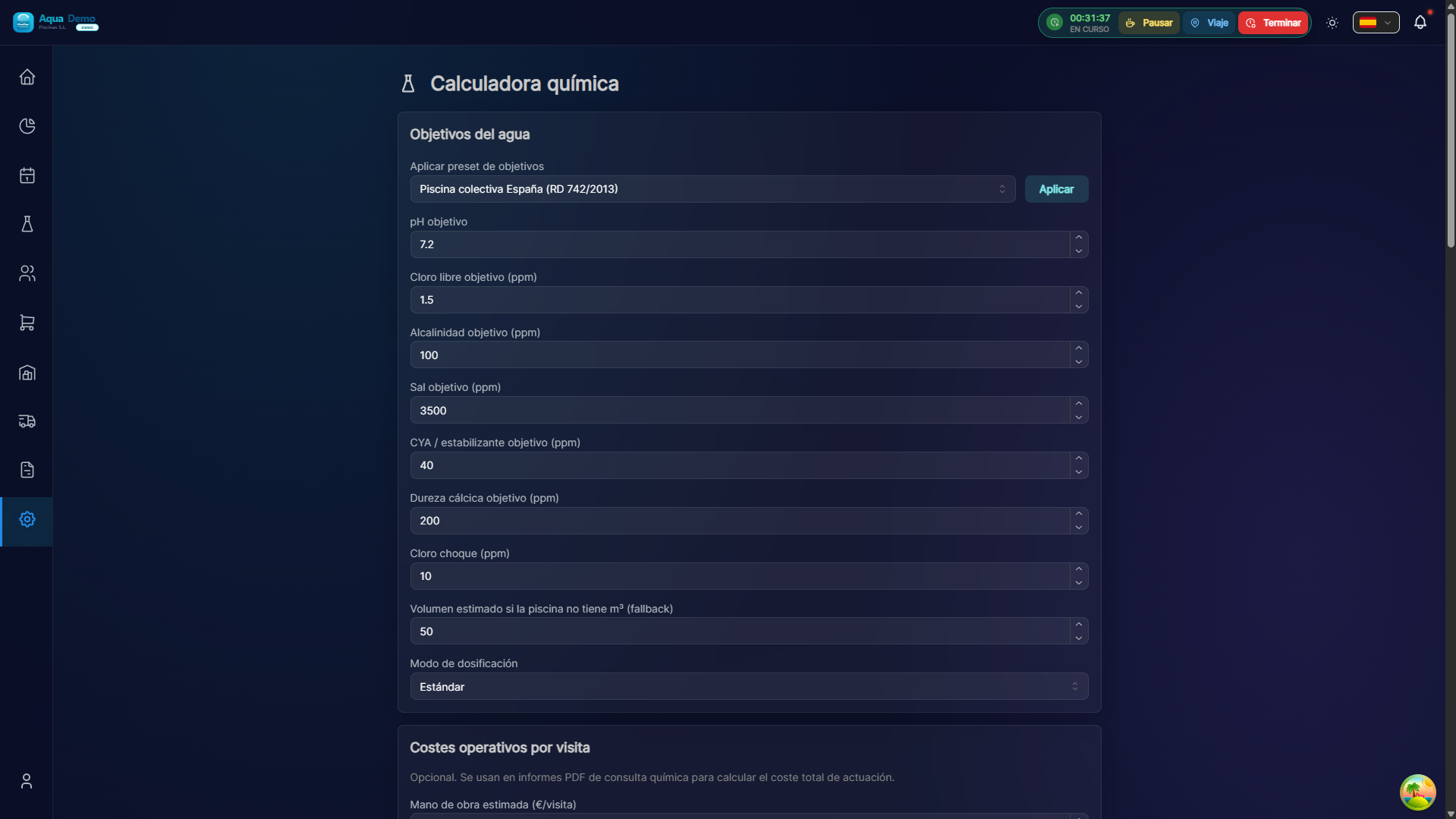
🧪 Chemical calculator
What it is for: Know which products to add to each pool from readings (pH, chlorine, alkalinity, stabilizer…) and carry those consumptions into the work order without guessing.
When to use:
- In the office when a client asks what their pool needs
- On the technician work order (Step 2 → chemical dosing)
- To generate a PDF action plan
Main functions:
- Numbered dosing plan from measured parameters
- Suggested products from your catalog and role configuration
- On the work order: mark Applied → products go to the consumption cart (Step 3)
- Full chemical consultation, expert mode and history
💰 Sales & POS
What it is for: Sell products to customers who pass by your store.
When to use:
- When a customer comes in to buy chlorine
- When you close the cash register at the end of the day
- When you want to know how much you sold this month
Main functions:
- Cash opening and closing
- Point of Sale Terminal (POS)
- Sales notes
- Budgets
- Returns management
📦 Purchasing
What it is for: Buy products from your suppliers.
When to use:
- When you realize that you are out of chlorine
- When a truck of products arrives and you have to count them
- When you have to pay a supplier
Main functions:
- Supplier catalog
- Purchase orders
- Merchandise reception
- Supplier invoices
- Automatic purchasing suggestions
- Returns (RMA)
🏭 Inventory
What it is for: Know what products you have and where.
When to use:
- When you want to know if you have chlorine left
- When you transfer products from the warehouse to a van
- When you do physical inventory
Main functions:
- Warehouses (central, stores, vans)
- Stock control
- Transfers between warehouses
- Product catalog
- Products in quarantine
🧾 Invoicing
What it is for: Charge your clients.
When to use:
- At the end of the month, to make invoices
- When a client asks you for an invoice
- When you want to know who owes you money
- To make bank remittances
Main functions:
- Monthly billing assistant
- Recurring invoices (maintenance)
- Management of effects (receipts)
- SEPA remittances
- Client account statement
📊 Accounting
What it is for: Know if your business makes or loses money.
When to use:
- When you want to record an expense (gasoline, material...)
- At the end of the month, to see the results
- For the income tax return
Main functions:
- Expense record
- Spending categories
- Financial Dashboard
- Box plot
📈 Reports
What it is for: Analyze how your business is going.
When to use:
- When you want to know which pools use the most products
- When you want to see who is your fastest technician
- To make decisions (do I raise prices? Do I hire more people?)
Main functions:
- Consumption per client
- Times per technician
- Productivity Dashboard
- Control tower (where each technician is)
⚙️ Configuration
What it is for: Configure how the program works.
When to use:
- When you hire someone new
- When you want to give permissions to a user
- At the beginning, to enter your company information
Main functions:
- Employee management
- Roles and permissions
- Company details
- Cash registers
- Audit log
- Chemical calculator (consultation, work-order dosing, PDF)
🌐 Client Portal
What it is for: What your clients see when they enter their private area.
When to use:
- When a client asks you "can I see my invoices online?"
- To explain to them what they can do alone
Main functions:
- Customer Dashboard
- Visit history
- My invoices
- Report breakdowns
🎯 Where do I start?
If you don't know what to read first, follow this order:
If you're just getting started with PoolControl:
- Getting Started - Understand what each thing is
- Quick Start (15 min) - Create your first client in 15 min
- Setup Checklist - Everything you need to configure
If you already use PoolControl but have a question:
- Use the search bar above (the magnifying glass 🔍)
- Write your question in natural language (e.g. "how to change a pool technician")
- We take you to the corresponding guide
If something doesn't work for you:
👉 Go directly to Problem Index
📞 Can't find what you're looking for?
- 📧 Email: info@poolcontrolpro.com
- 💬 Chat: "Help" button within the app