

📄 Invoice Management
Estimated time: 8 minutes
Level: 🟢 Easy
Manage invoices already issued
🎯 What can you do here?
Once the invoices are generated, you need:
- See the list of all invoices
- Search for a specific invoice
- Download the PDF
- Send to the client by email
- Cancel if there are errors
📋 List of Invoices
In Billing → Invoices you see:
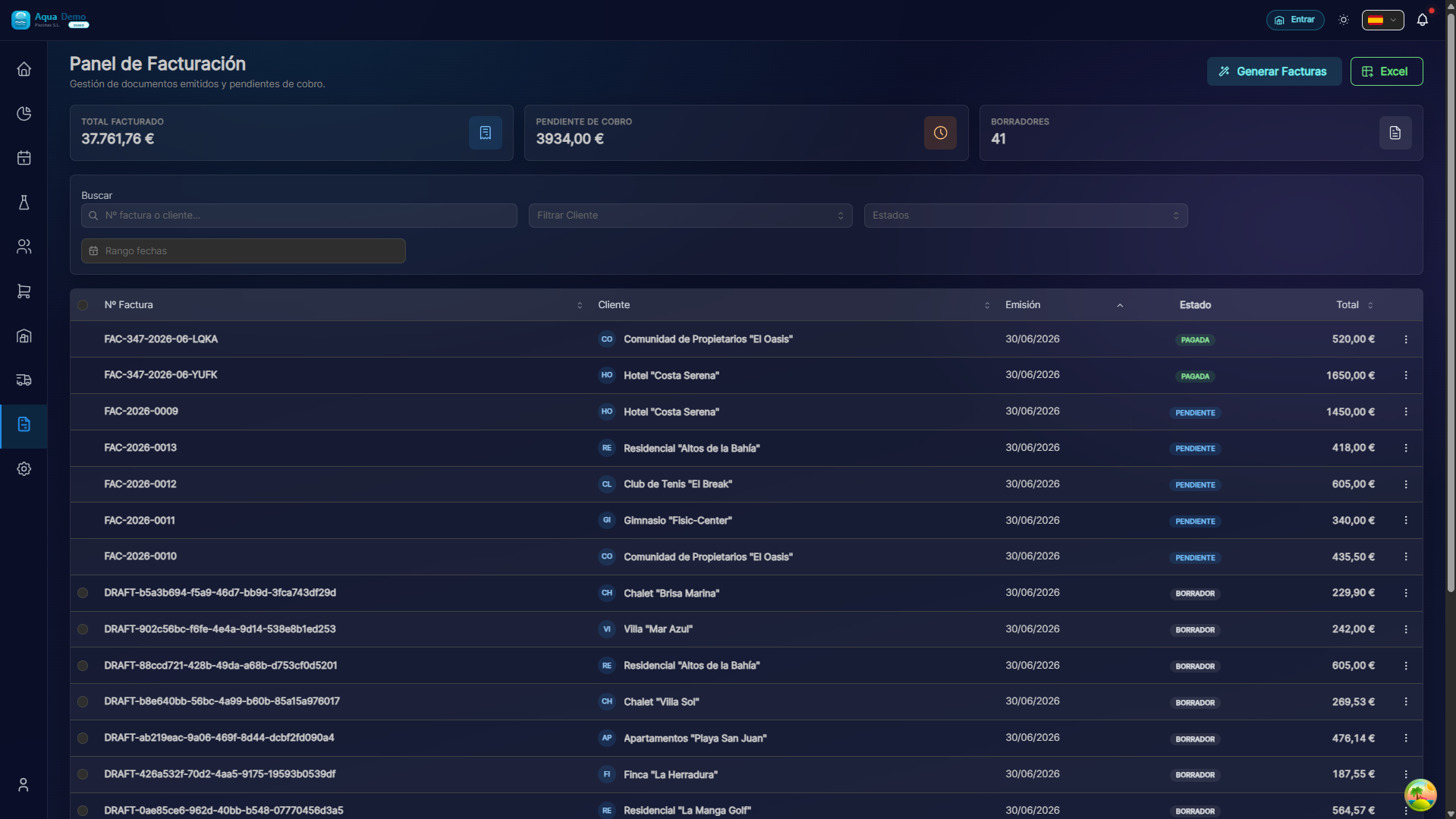
Captura con datos demo AquaDemo.Capture with AquaDemo demo data.Capture with demo manager user (AquaDemo data).
🔍 Search Invoices
By different criteria:
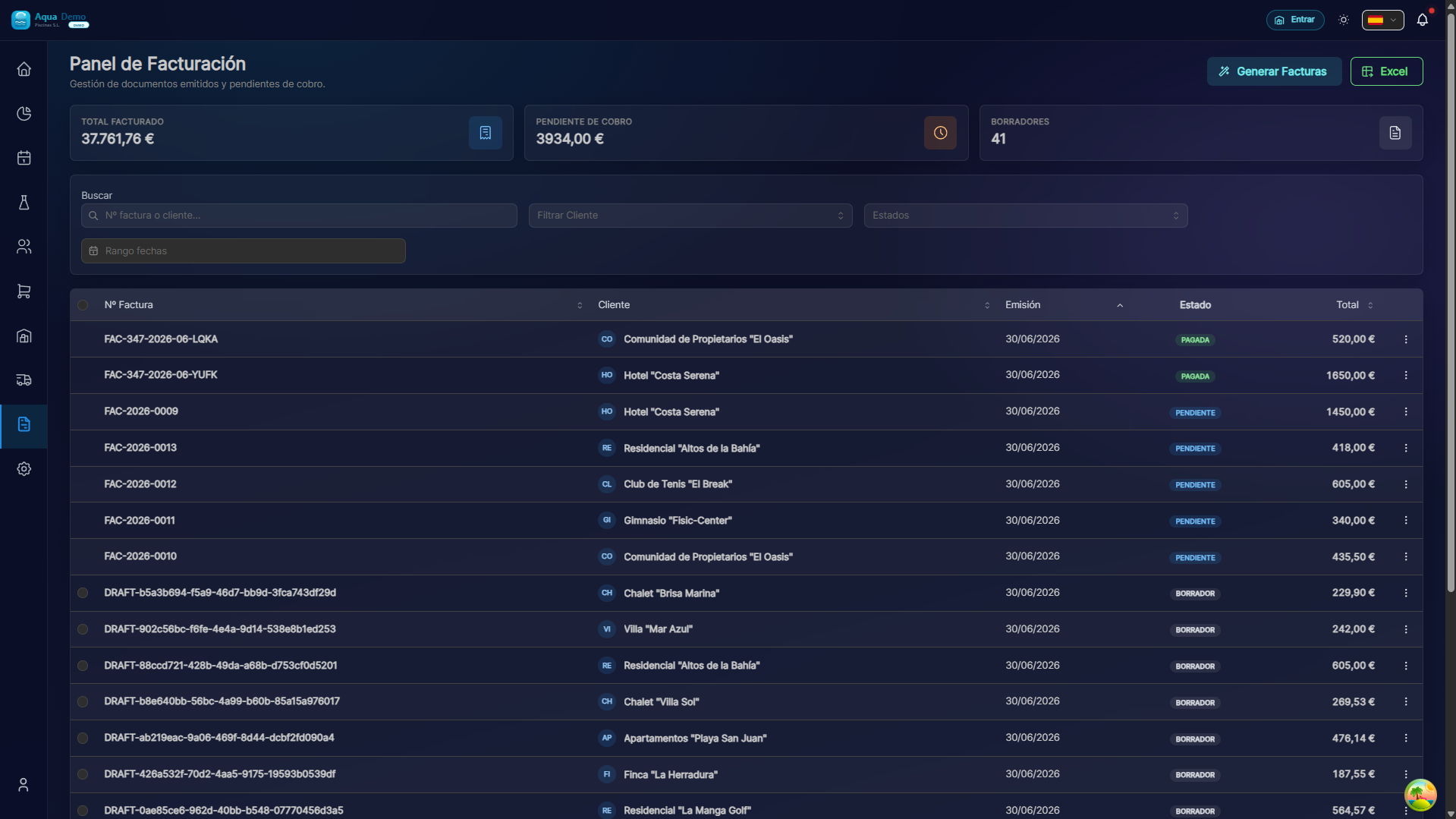
Captura con datos demo AquaDemo.Capture with AquaDemo demo data.
📧 Send by Email
From the invoice detail:
- Press "Send Email"
- Shipping window opens:
Email that the client receives:
Result:
- Original invoice → Status: Canceled
- Corrective invoice is created with a negative amount
- The client receives an explanation (optional)
📊 Billing Statistics
💡 Tips
Tip 1: Keep backups
Export invoices to PDF and save them on your computer (separate from the system).
Tip 2: Check expirations weekly
If an invoice has not been collected for 30 days, call the customer.
Tip 3: Use saved searches
Create regular filters: "January invoices", "Pending collection"...
❓ Frequently asked questions
"Can I edit an already issued invoice?"
NO. Once issued, it is a tax document. If there is an error, cancel and create a new one.
"Can the customer pay in several installments?"
Yes, you record several partial charges on the same invoice.
"Can I send an invoice via WhatsApp?"
Download the PDF and send it via WhatsApp. The system only sends by email.
"What happens if the customer's email is incorrect?"
The invoice comes back as "not delivered." Update the email and resend.
✅ Management checklist
- [ ] Review pending invoices weekly
- [ ] Send invoices the same day they are issued
- [ ] Record collections when they arrive
- [ ] Cancel errors immediately
- [ ] Make monthly backup
📄 Manage invoices well = Money control
An invoice issued is not money collected. Follow the process until the end.