

Note
In the app, many “accounting” functions are in Finance and Reports (expenses in /financials/expenses, tax models in /reports/tax-forms), not in a single menu called “Accounting”.
📊 Accounting
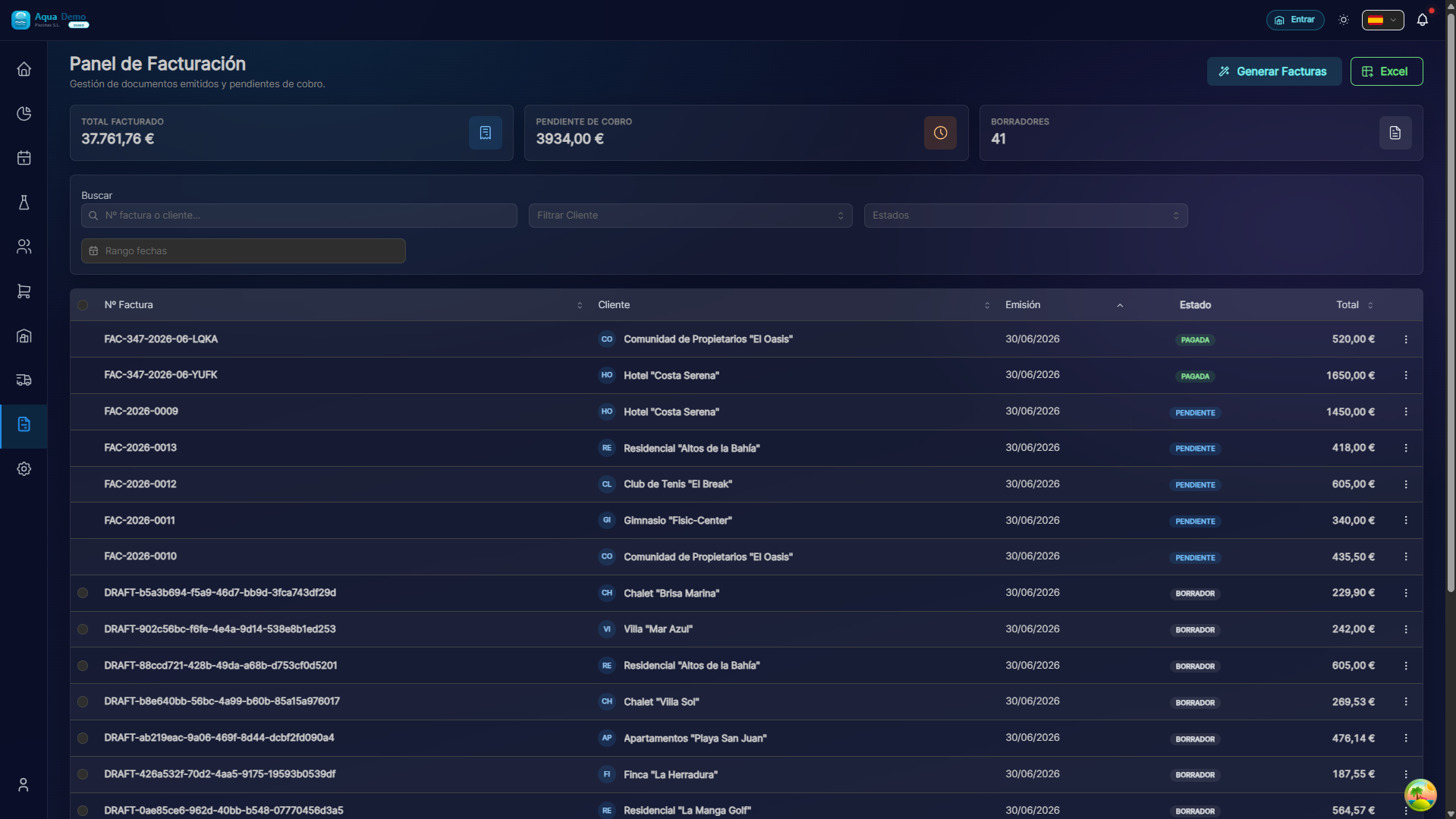
Captura con datos demo AquaDemo.Capture with AquaDemo demo data.
What are you going to learn here? How to keep your company's accounting: expenses, income, results and tax obligations.
🎯 What is the Accounting module?
This module helps you know the financial health of your company.
Examples of use:
- Know if you win or lose money this month
- Control expenses (fuel, material, payroll)
- See the cash flow (money coming in and going out)
- Prepare data for the manager/management
- Export to accounting programs (Sage, A3...)
⚠️ IMPORTANT:
PoolControl DOES NOT replace your manager/management.
Provide the data, but the tax advisor must validate it.
🏗️ Key concepts
1️⃣ Income vs Expenses
| Concept | What is it | Example |
|---|---|---|
| INCOME | Money coming in | Invoices paid by clients |
| EXPENSES | Money going out | Purchases from suppliers, payrolls |
| BENEFIT | Income - Expenses | If it is positive, you earn money |
2️⃣ Cash Flow
DINERO EN CAJA:

Lunes:   +2.000€ (remesa bancaria cobrada)
         -  500€ (compra proveedor)
         ─────────
         = 1.500€

Martes:  +  300€ (venta en tienda)
         - 1.200€ (nómina técnicos)
         ─────────
         =  -900€ (¡cuidado!)
Positive cash flow: You have money to pay.
Negative cash flow: You are spending more than you earn.
3️⃣ Supported VAT vs. Output VAT
| Type | What is it | When |
|---|---|---|
| Supported VAT | VAT that YOU pay | When buying from suppliers |
| Output VAT | VAT that YOU charge | When selling to clients |
| Payable | Impacted - Supported | Quarterly to the Treasury |
📋 What can you do here?
✅ Expenses
- Record company expenses
- Categorize (fuel, material, services...)
- Attach tickets/invoices
- Control expenses by category
✅ Income
- View income by period
- Compare with the same period last year
- Analyze by type of client
✅ Financial Dashboard
- Balance sheet
- Income statement
- Evolution graphs
- Financial ratios
✅ Taxes
- VAT summary
- Models 303 (quarterly)
- Form 347 (operations with third parties)
- Export for manager
✅ Export
- Export to Excel
- Export to Sage
- Export to A3
- Standard accounting format
🗺️ Navigation map
📁 ACCOUNTING
│
├── 💸 [Expenses](./expenses)
│   └── Record and categorize expenses
├── 📈 [Financial Dashboard](./financial-dashboard)
│   └── Balance, results, charts
└── 🧾 [Taxes](./taxes)
    └── VAT, tax forms, export
🎓 Accounting glossary
| Term | Meaning |
|---|---|
| Income | Money that enters the company |
| Expense | Money that leaves the company |
| Benefit | Income minus expenses |
| Cash flow | Money flow (inflows and outflows) |
| Supported VAT | VAT you pay when purchasing |
| Output VAT | VAT that you charge when selling |
| Amortization | Equipment expenditure spread over years |
| Provisions | Money set aside for future expenses |
💡 When to use each function?
I want to know if I earn money:
→ Go to Financial Dashboard → Income Statement
I need to declare quarterly VAT:
→ Go to Taxes → VAT Summary → Export to manager
I have purchased fuel:
→ Go to Expenses → Register expense → Category: Transportation
I want to see how this year goes vs last year:
→ Go to Financial Dashboard → Annual comparison