

💸 Expenses
Estimated time: 8 minutes
Level: 🟢 Easy
Control what comes out of your pocket
🎯 What are expenses?
Expenses are all the money that comes out of your company.
Examples:
- Purchase of chlorine from suppliers
- Fuel for vans
- Technician payrolls
- Office rental
- Light, water, telephone
- Insurance
📝 STEP 1: Record an expense
How:
- Go to Accounting → Expenses
- Press "New Expense"
- Fill in the data:
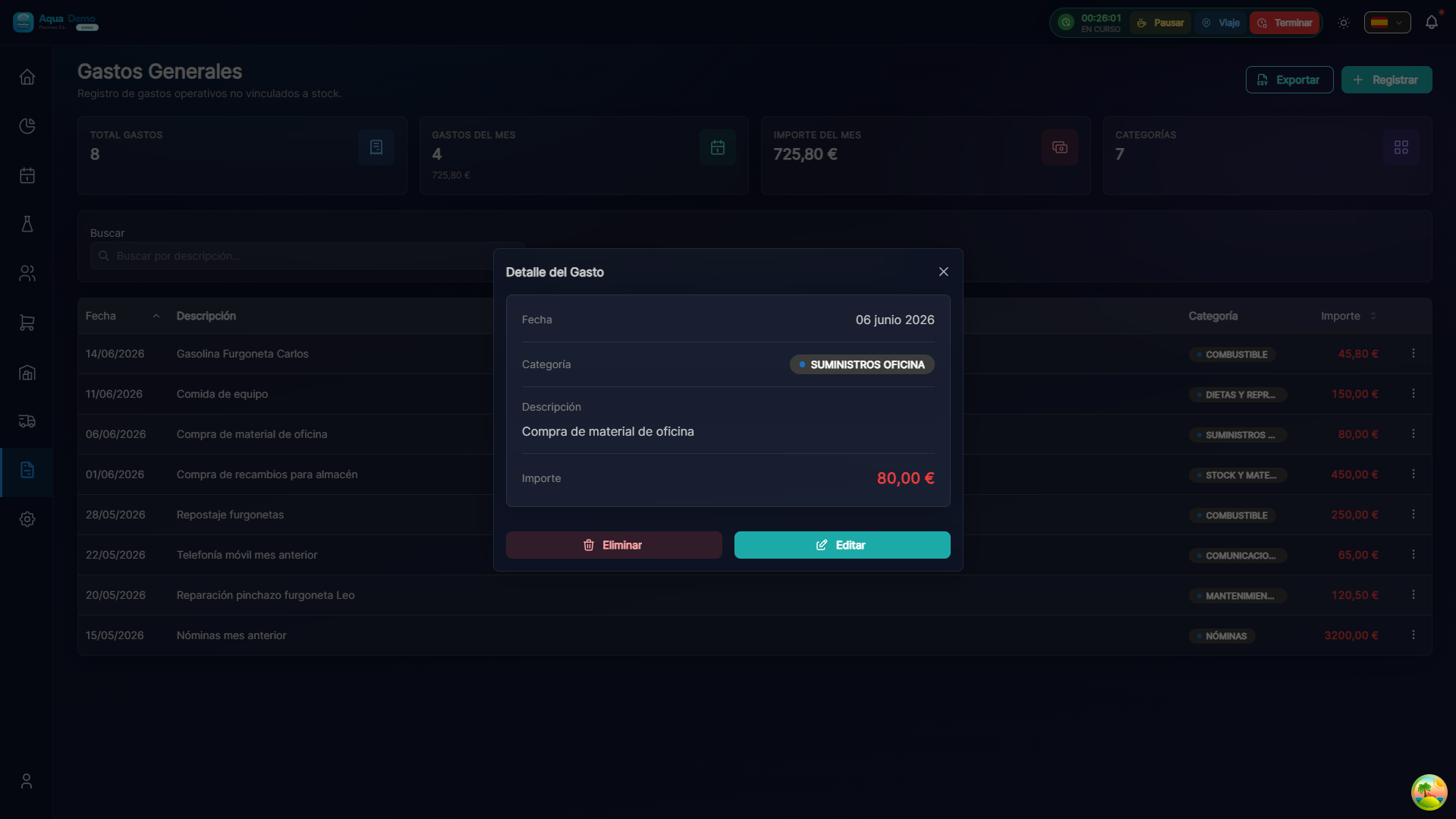
Captura con datos demo AquaDemo.Capture with AquaDemo demo data.
📂 Expense Categories
Recommended categories:
📊 Expense Analysis
View expenses by category:
Monthly evolution:
GASTOS POR MES (últimos 6 meses)

Jul: ████████████ 11.200€
Ago: ████████████████ 14.500€ (pico temporada)
Sep: ██████████████ 13.100€
Oct: ████████████ 11.800€
Nov: ██████████ 10.200€
Dic: ████████████ 11.500€
💡 Control Tips
Tip 1: Register on the same day
Don't accumulate tickets. Register them as soon as you have them.
Tip 2: Photograph all tickets
The paper is lost, the photo is not. And the Treasury can ask you for them.
Tip 3: Review expenses weekly
Sunday night, look what you spent this week. Does anything surprise you?
Tip 4: Limit per category
Set budgets:
- Fuel: max €1,000/month
- Material: max €5,000/month
- If you go overboard, investigate why.
❓ Frequently asked questions
"Do I have to record every gas ticket?"
Yes, one by one. Or make a weekly summary if it is always the same amount.
"What happens if I lose a ticket?"
If you don't have proof, it is not a deductible expense. Take care of the tickets.
"Are technician expenses also recorded?"
Yes, they must pass tickets and you register them (or them from the app).
"Can I delete a recorded expense?"
Yes, but leave a record of why (finger error, duplicate...).
✅ Registration checklist
- [ ] Correct date
- [ ] Descriptive concept
- [ ] Suitable category
- [ ] Amount with correct VAT
- [ ] Photo/digital ticket saved
- [ ] Payment method indicated