

👥 Team and Users
Estimated time: 8 minutes
Level: 🟢 Easy
Register your work team
🎯 What is the Team?
These are all the people who use PoolControl in your company.
Examples:
- You (administrator)
- Your partner (manager)
- Field technicians
- The billing person
📝 Register a user
How:
- Go to Settings → Equipment
- Press "New User"
- Fill in data:
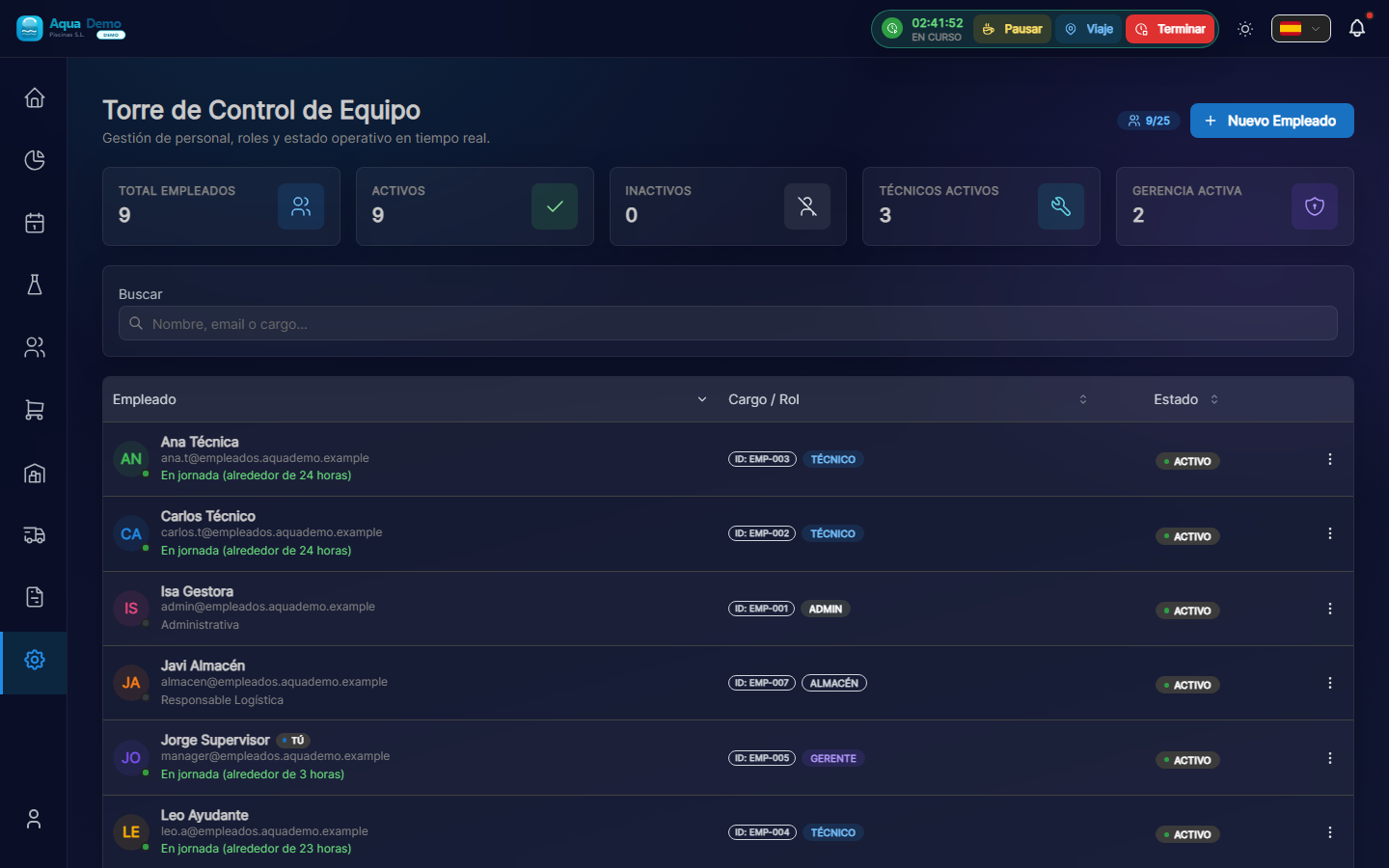
Captura con datos demo AquaDemo.Capture with AquaDemo demo data.
📋 Types of Users
| Role | What does it do | Example |
|---|---|---|
| Administrator | Everything | The boss, owner |
| Manager | Manage, not configure | Operations Manager |
| Technical | Use mobile app | Pool cleaner |
| Office | Billing, clients | Administrative |
| Read only | See, don't touch | External accountant |
👤 User Profile
Each user has a tab:
🔄 Activate/Deactivate Users
When to deactivate:
- The worker leaves the company
- Temporary leave (illness, long vacation)
- Stop using the system
🔐 User Security
Good practices:
One user per person
- Do not share accounts
- Each one with their email
Strong passwords
- Minimum 8 characters
- Change every 3 months
- Do not use "123456" or "password"
Disable on leaving
- Immediately when someone leaves
- Remap your pools
Check access
- Check monthly who accesses
- Detect unused accounts
💡 Tips
Tip 1: Clear photo
Technicians with a photo are easier for customers to identify.
Tip 2: Corporate email
Use emails like @yourcompany.com, not personal ones (@gmail.com).
Tip 3: Document discharges
Save registration date for payroll and vacation issues.
Tip 4: Minimum roles
Give everyone the minimum necessary permission. Safety first.
❓ Frequently asked questions
"Can I change someone's role?"
Yes, edit the user and change the role. Permissions are updated immediately.
"What happens if a technician loses his cell phone?"
Temporarily deactivate your user from the panel. Reactivate it when you have a new mobile.
"Can I see what each user is doing?"
Yes, in Audit (System → Audit) you see all the actions of each one.
"Is there a user limit?"
It depends on your licensing plan. Check Settings → License.
✅ Registration checklist
- [ ] Correct full name
- [ ] Valid and corporate email
- [ ] Updated phone
- [ ] Profile photo
- [ ] Appropriate role
- [ ] Employee number (if applicable)
- [ ] Access activated
- [ ] User has received a welcome email
👥 A well-organized team = Efficient company
Each person with their role, each one with their tools.