

Access
Business → Cases / Shifts (/sales/cash-sessions). Physical cash register configuration: System → Cash Registers.
🏦 Cash Register
Estimated time: 8 minutes
Level: 🟢 Easy
Do it every day you open the store
🎯 What is the cash register?
The cash register is where you control the store's cash.
Simple analogy:
It's like the piggy bank of your business:
- In the morning you count how much there is
- Money enters and leaves during the day
- In the afternoon you count again
📝 STEP 1: Open the box (in the morning)
When to do it:
At the beginning of the day, before serving the first client.
Process:
- Go to Business → Cashes / Shifts
- Press "Open Box"
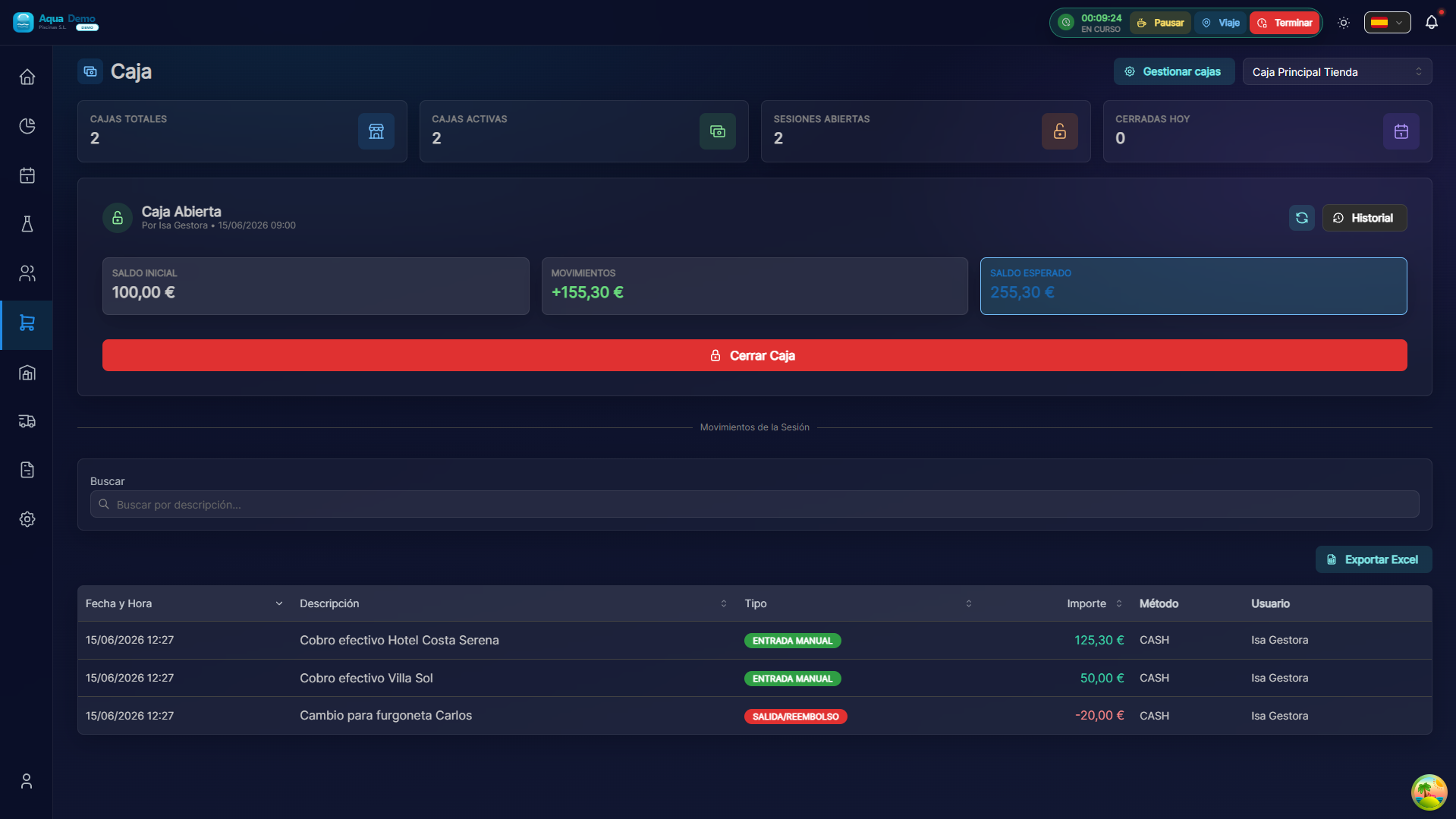
Captura con datos demo AquaDemo.Capture with AquaDemo demo data.
What to put in "Beginning balance":
The money that is physically in the box.
Examples:
- You start with change: €150 (bills + coins)
- Empty box: €0
- Yesterday they left €200: €200
💡 Initial change
It is recommended to start with €150-200 in change (small bills and coins).
Confirmation:
You can now sell!
💵 During the day: Movements
While the box is open, the following are automatically recorded:
| Type | Description | Example |
|---|---|---|
| Entry (+) | Cash sales | Client pays €50 in cash |
| Entry (+) | Manual entry | Add more change |
| Output (-) | Return | Customer returns product |
| Output (-) | Cash withdrawal | Take money to bank |
See movements in real time:
📝 STEP 2: Close the box (in the afternoon)
When to do it:
At the end of the day, after the last client.
Process:
- Go to Business → Cashes / Shifts
- Press "Close Checkout"
- The accounting form opens
Tonnage (count money):
How to do the counting:
- Count bill by bill, coin by coin
- Write the quantity of each type
- The system automatically calculates the total
- Compare THEORETICAL vs REAL balance
Possible results:
| Difference | Meaning | What to do |
|---|---|---|
| 0.00€ ✅ | Everything correct | Close normal |
| +10.00€ | €10 left over | Review, write down in observations |
| -5.00€ | €5 missing | Review, write down in observations |
⚠️ Differences
If there is a difference, write it down. The boss can later review what happened.
📊 Box history
You can see previous closed boxes:
❓ Frequently asked questions
"What if I forget to open the box?"
Sales will not be recorded correctly. Close and reopen.
"Can I have multiple boxes open?"
No, only one box per device/location.
"What happens if there is a difference in the tonnage?"
The system registers it. The boss can investigate later.
"Can I withdraw money during the day?"
Yes, it records a "manual exit" indicating the reason ("Bring to bank").
✅ Cash checklist
In the morning:
- [ ] I opened the box
- [ ] I entered the correct initial balance
- [ ] I verified that it says "Operating box"
During the day:
- [ ] I made sales normally
- [ ] If I withdrew money, I recorded it
In the afternoon:
- [ ] I counted the physical money bill by bill
- [ ] I put the amounts in the tonnage
- [ ] I verified that the difference is 0 (or noted why not)
- [ ] I closed the box
🏦 The cash register is the control of money
Open it when you start, close it when you finish, and everything will be under control.