

📡 Control Tower
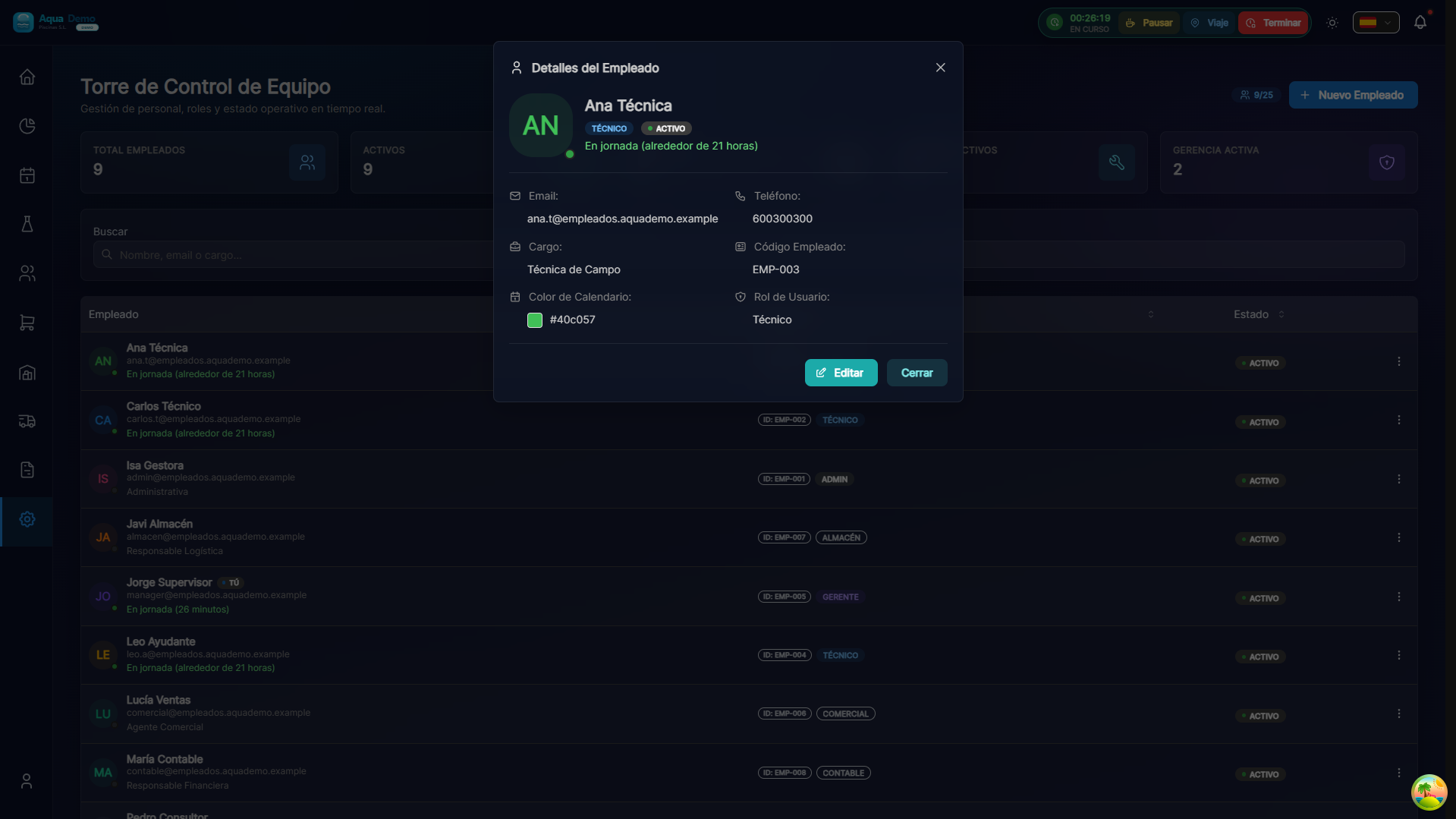
Captura con datos demo AquaDemo.Capture with AquaDemo demo data.
Track your team in real time
📊 Functional Status
| Functionality | Status | Notes |
|---|---|---|
| Technician Status (Working/Pause/Offline) | ✅ Available | Updated every minute |
| Current visit time | ✅ Available | With configurable alerts |
| Current assigned pool | ✅ Available | Real time |
| Basic alerts (>90min, >30min break) | ✅ Available | In-app notifications |
| GPS map in real time | 📅 Coming soon | Q4 2026 |
| GPS route history | 📅 Coming soon | Q4 2026 |
| Advanced alerts (deviation, battery) | 📅 Coming soon | Q4 2026 |
| Threshold settings | 📅 Coming soon | Q4 2026 |
✅ Features Available Now
Equipment Status Panel
In Reports → Control Tower you see the status of all the technicians:
State legend:
- 🟢 Working: In a pool, part started
- 🟡 On pause: Rest between visits or food
- 🔵 In transit: Moving between pools
- ⚫ Offline: No recent activity
- 🟠 Vacation/Absent: Doesn't work today
Basic Automatic Alerts
The system automatically detects:
| Situation | Alert | Action |
|---|---|---|
| Visit >90 minutes | 🟡 Notice | Check if there is an incident |
| Break >30 minutes | 🟡 Notice | Check technical status |
| Scheduled visit does not start | 🔴 Alert | Contact technician |
| Visit completed | 🟢 Info | Update status |
Note: Alerts appear in the admin panel. Advanced push notifications are in development.
📅 Features Coming Soon
Real Time GPS Map
Available: Q4 2026
Map display of all locations:
Intended functionalities:
- [ ] Map with exact location of each technician
- [ ] Route traveled during the day
- [ ] Distance between visits
- [ ] Estimated arrival time
- [ ] Geofences (alert if you leave the area)
Advanced Alert System
Available: Q4 2026
Customizable alert settings:
Predicted alerts:
| Alert | Description | Channel |
|---|---|---|
| GPS disconnected | No GPS signal for X minutes | Email + Push |
| Route deviation | More than X meters from the assigned pool | Push |
| Low battery | Technician's cell phone <15% | Push al técnico |
| Visita muy larga | Excede X% del tiempo estimado | |
| Pausa prolongada | Más de X minutos parado | Push |
| No llega a siguiente | No inició desplazamiento | Email + Push |
| Horas extras | Acumulado >X hours/day |
Route History
Available: Q4 2026
See where a technician has been:
💡 Available Actions
From the Control Tower you can:
Immediate Actions (Available)
- View location: Current address text
- Send message: Internal notification
- Call: Start phone call
Emergency Actions (Coming Soon)
- Reassign visit: Move to another technician
- Mark as urgent: Prioritize
- Send support: Assign auxiliary technician
- Emergency alert: SMS to person in charge
🔒 Privacy and Legality
Important: GPS tracking is only active during the work day.
- ✅ Only tracked during configured work hours
- ✅ The technician can pause the monitoring (it is recorded)
- ✅ Data is stored securely
- ✅ Compliance with LOPD/GDPR
- ✅ Mandatory worker information
❓ Frequently Asked Questions
"Does GPS work in real time now?"
Partially. We see the location of the assigned pool, not the exact GPS position on the map.
"When will I get the real-time map?"
Forecast: Q4 2026. Requires development of continuous GPS tracking.
"Do the technicians know they are being followed?"
Yes, it is mandatory to inform them. The app shows when GPS is active.
"Does GPS consume a lot of battery?"
Continuous tracking does consume more. That's why it now only updates when starting/completing visits.
"Can I see where a technician was 3 days ago?"
Currently no GPS position history is saved. Only the visited pool is saved.
✅ Configuration Checklist
To take advantage of the Control Tower:
- [ ] Verify that all technicians have GPS activated
- [ ] Configure work schedules for each technician
- [ ] Set realistic estimated times per pool
- [ ] Review alerts periodically
- [ ] Communicate to technicians the use of tracking
📡 Real-time control gives peace of mind
Know where your team is and that everything is going well.
Full roadmap: Ver ROADMAP_ERP