

📋 Effects Portfolio
Estimated time: 10 minutes
Level: 🟡 Medium
Control what they owe you and when you will collect it
🎯 What is the Effects Portfolio?
The bills portfolio is the list of all maturities (what your clients owe you). It allows you:
- See which invoices are pending collection
- Know when each one expires
- Manage renegotiations
- Prepare SEPA remittances
✅ Available Features
Maturities Panel
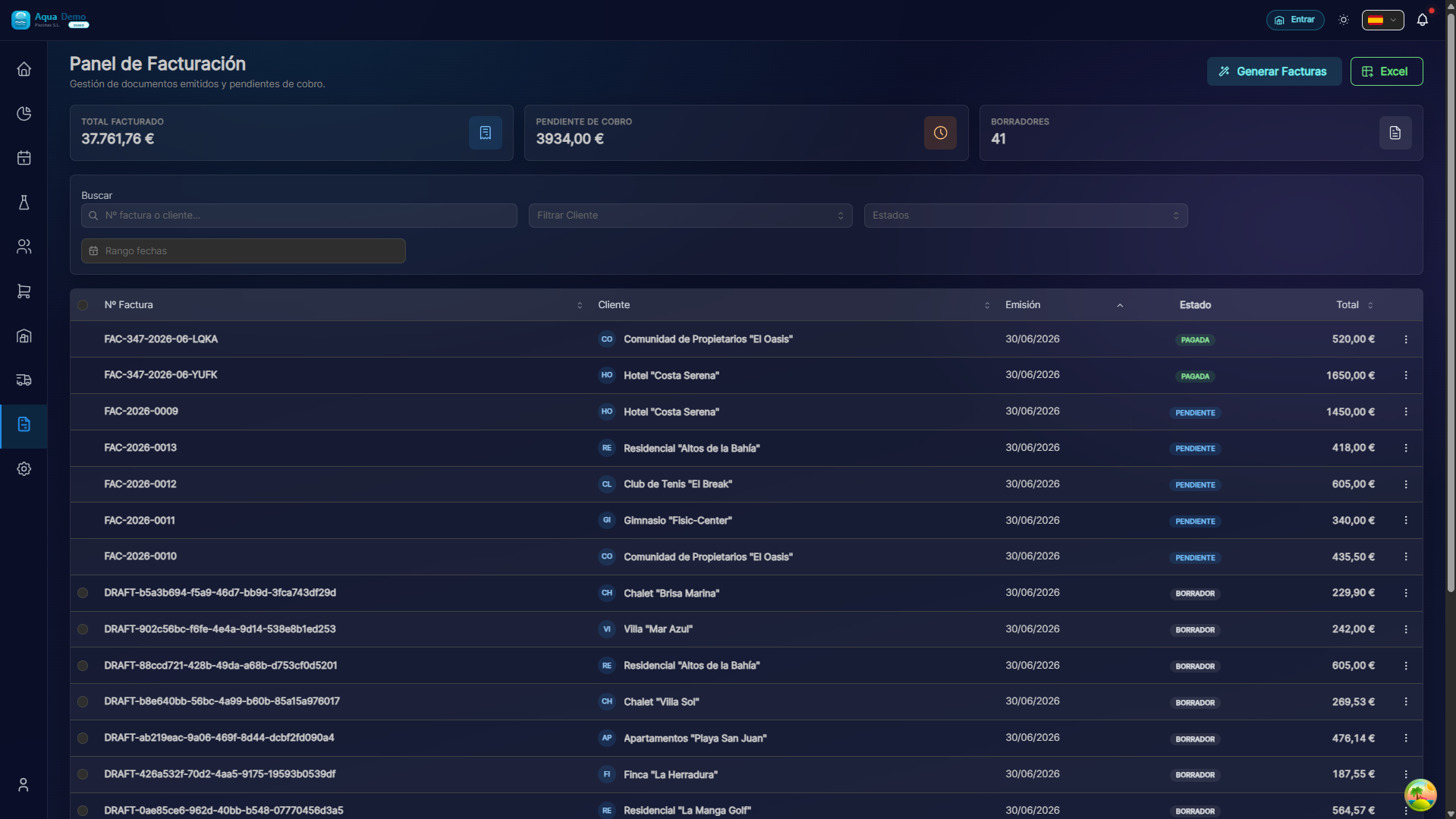
Captura con datos demo AquaDemo.Capture with AquaDemo demo data.
States of an Effect
| Status | Color | Meaning |
|---|---|---|
| PENDING | 🟡 | It doesn't expire yet, waiting for a date |
| EXPIRED | 🔴 | The date passed without payment |
| PAID | 🟢 | It has already been collected |
| REMITTANCE | 🔵 | Included in pending SEPA remittance |
Split Debt (Renegotiation)
Available: ✅ IMPLEMENTED
When a client cannot pay everything at once:
Use cases:
- Client asks to "pay half now and half in a month"
- Renegotiation of overdue debt
- Installment payment agreement
Register Collection
Note: When you register the payment, the invoice is automatically updated:
- Status: PENDING → PAID (or PARTIALLY PAID)
- Outstanding balance is reduced
- Effect marked as PAID
📊 Portfolio Reports
Summary by State
Delinquency Ranking
CLIENTES CON MAYOR DEUDA VENCIDA:

1. Hotel Costa Azul        2.300€ (45 días)
2. Comunidad El Sol        1.800€ (32 días)
3. Casa García               450€ (15 días)

[📞 Llamar a todos los vencidos]
🔄 Workflow
Manual Collection Process:
1. Revisar vencimientos diarios
   ↓
2. Identificar vencidos o próximos
   ↓
3. Llamar al cliente / Enviar recordatorio
   ↓
4. Recibir el pago
   ↓
5. Registrar cobro en el sistema
   ↓
6. Factura actualizada automáticamente
SEPA Remittance Process:
1. Seleccionar efectos pendientes
   ↓
2. Añadir a remesa SEPA
   ↓
3. Generar archivo XML
   ↓
4. Subir al banco
   ↓
5. Esperar confirmación (2-3 días)
   ↓
6. Marcar como cobrados
💡 Practical Tips
Late payment prevention:
- [ ] Send reminder 3 days before expiration
- [ ] Call on the due date if you have not paid
- [ ] Offer payment facilities (split) to problem clients
Collection management:
- [ ] Check portfolio every Monday morning
- [ ] Prioritize calls by amount (highest first)
- [ ] Document all collection conversations
❓ Frequently Asked Questions
"What happens if I split an expiration?"
Two independent effects are created. The original is reduced and the new one has its own date. The invoice maintains the total amount.
"Can I delete an expiration?"
Yes, if it is pending. Overdue or paid ones cannot be deleted.
"Does the customer see the expirations?"
Not directly. You only see the total invoice amount in your portal.
"When are expirations created?"
Automatically when issuing the invoice, according to the client's payment method (30 days, 60 days, etc.).
✅ Management Checklist
Weekly:
- [ ] Check weekly deadlines
- [ ] Identify expired effects
- [ ] Call clients with outstanding debt
Monthly:
- [ ] Prepare SEPA remittance with monthly due dates
- [ ] Review delinquency report
- [ ] Analyze treasury projection