

🏷️ Product Catalog
Estimated time: 10 minutes
Level: 🟢 Easy
Register everything you buy, sell or use
🎯 What is the product catalog?
It is the master list of everything that exists in your company:
- Products that you purchase from suppliers
- Products you sell to customers
- Products you use at work (maintenance)
Before using a product anywhere on the system, you must be registered here.
📝 STEP 1: Create a product
How:
- Go to Warehouse → Products
- Press "New Product"
- Fill out the form:
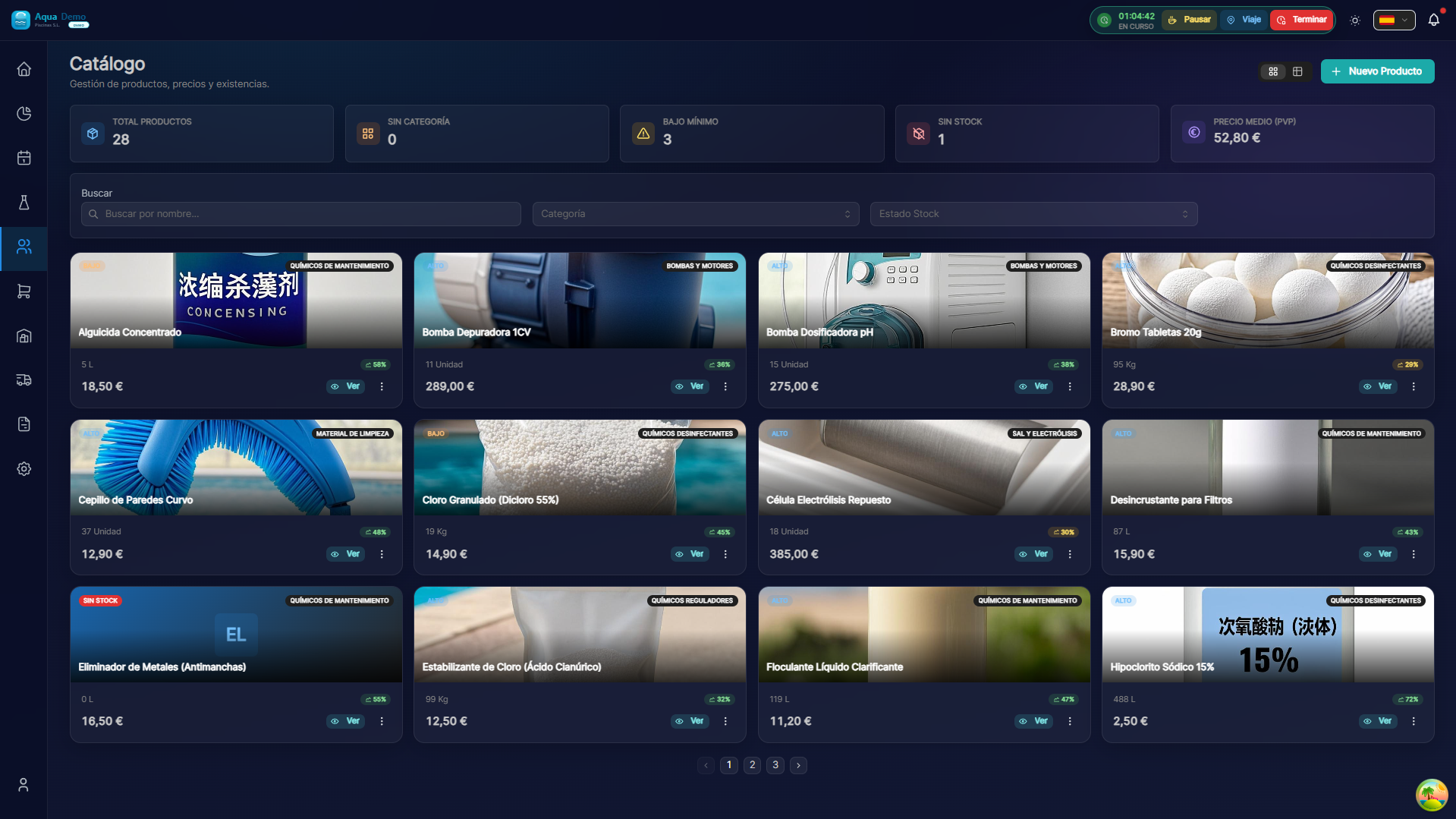
Captura con datos demo AquaDemo.Capture with AquaDemo demo data.
📊 Product Types
Physical product (chemicals, equipment)
Stock, batches, van, purchases and visit consumptions.
Services
Services (maintenance, openings, labor) go in the Service Catalog: no physical stock.
⚗️ Chemical profile (pool products)
If you use the chemical calculator, each correction product needs a Chemistry tab on its page:
| Field | Purpose |
|---|---|
| Chemical role | Correction type (pH-, maintenance chlorine, algaecide…) |
| Active % | Ingredient concentration |
| Dose unit | g, ml, kg — what the technician sees |
| Per-visit cap | Maximum applicable in one visit |
| Sanitation types | Chlorine, salt, bromine… |
Then in System → Settings → Chemistry assign which catalog product each role uses.
Full guide: Chemistry settings.
🎁 Starter chemical catalog on signup
New accounts may receive a demo catalog (13 chemical products at price 0 with SKUs QR-001, QD-005…).
After signup
- Update real purchase prices.
- Review names and reassign roles if you use other brands.
- Do not delete products with history: create a new one and change the mapping in Chemistry.
📸 Photos and Documents
You can attach:
💡 Management Tips
Tip 1: Descriptive names
No: "Product 1"
Yes: "Granulated Chlorine 25kg - Professional use"
Tip 2: Required Photos
Every product must have a photo. Helps identify it quickly.
Tip 3: Unique codes
Never repeat codes. If you change the product, new code.
Tip 4: Review prices quarterly
Suppliers raise prices. Update the cost so that the margins are real.
❓ Frequently asked questions
"Can I delete a product?"
Only if it has never been used (or bought, sold, or consumed). If it has history, disable it.
"What do I put in products that I buy and sell in different units?"
Example: I buy a box of 12 bottles, I sell individual bottles.
- Base unit: bottle
- Purchase unit: box (12)
- Equivalence: 1 box = 12 bottles
"Can I have products out of stock?"
The services (maintenance, openings, labor) go in the Service Catalog, not in products: they do not have physical stock but they do have a rate, category and use in budgets.
"Does the technician see all the products?"
Only the ones that are marked "Used in swimming pools" and have stock in your van.
✅ Creation checklist
- [ ] Clear and descriptive name
- [ ] Unique and logical code
- [ ] Correct category
- [ ] Appropriate unit of measurement
- [ ] Well calculated equivalences
- [ ] Product photo
- [ ] Assigned primary supplier
- [ ] Cost and sales prices