

🏭 Suppliers
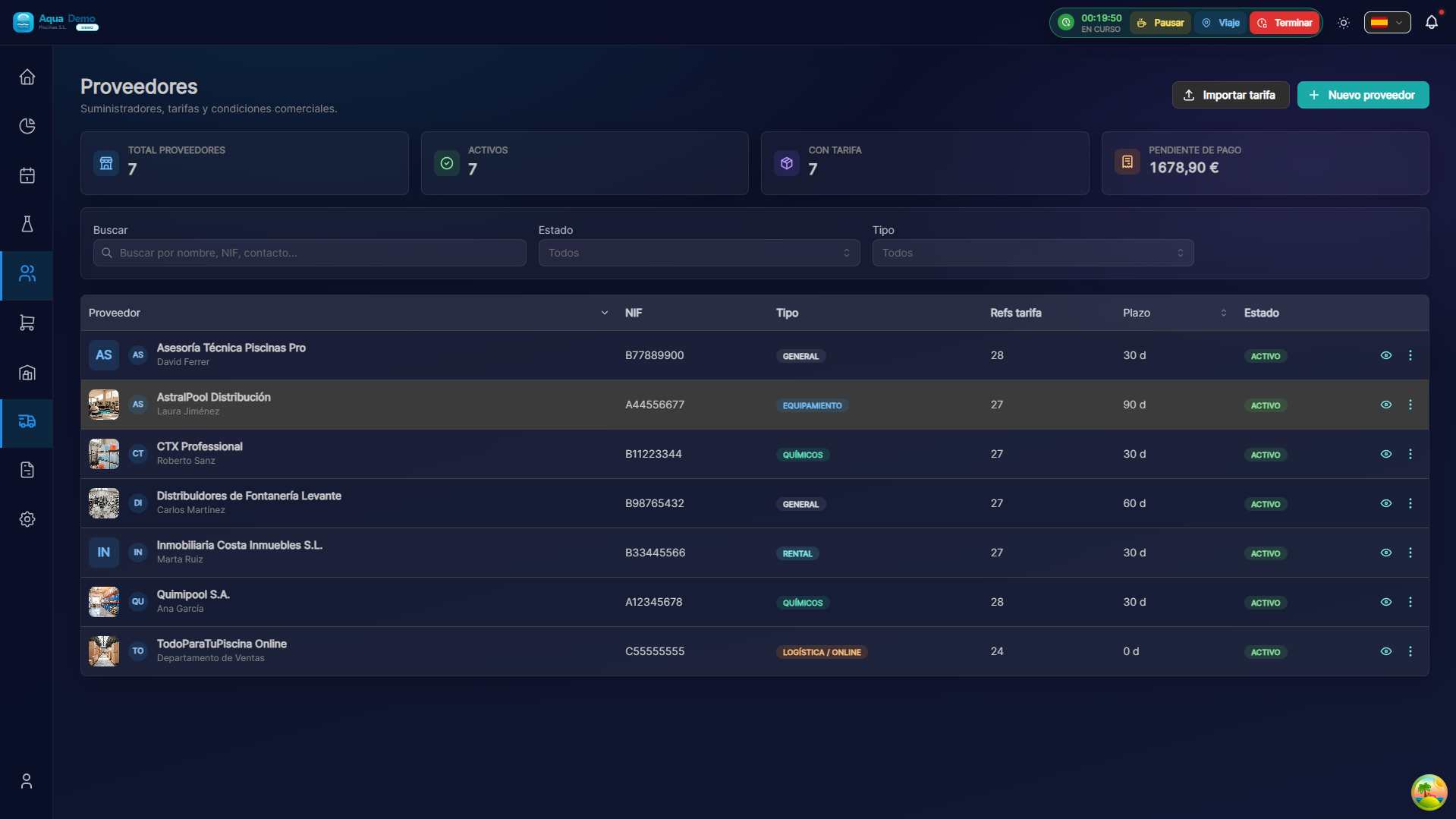
Captura con datos demo AquaDemo.Capture with AquaDemo demo data.
Estimated time: 8 minutes
Level: 🟢 Easy
Initial configuration required
🎯 What is a supplier?
A supplier is the company or person from whom you purchase products.
Examples:
- Químicos del Mar S.L. - They sell chlorine, pH, algicides
- PoolTools S.A. - They sell debugging equipment
- Industrial Cleaning Madrid - They sell pool cleaners, nets
📝 STEP 1: Register a supplier
Where is:
- Go to Catalog → Suppliers
- Press "New Supplier" (3-step wizard) or open the tab from the table
- In the tab: Summary, Rate, By brand, Orders and Invoices tabs
Data to fill in:
Basic information
| Field | What to wear | Example |
|---|---|---|
| Name | Company name | "Químicos del Mar S.L." |
| CIF | Tax code | "B12345678" |
| Phone | Contact | "912345678" |
| For orders | "pedidos@quimicosdelmar.com" | |
| Web | Optional | "www.quimicosdelmar.com" |
Address
- Street: "Polígono Industrial Norte, Nave 5"
- City: "Madrid"
- Zip: "28001"
Commercial conditions
| Field | What is it | Example |
|---|---|---|
| Payment method | How do you pay | Transfer, 30 days |
| Currency | In what currency | EUR (€), USD ($) |
| Transport | Who pays shipping | "Included in orders >€500" |
| Discount | % usual | 5% on all orders |
Rate per item vs conditions per brand
There are two layers of pricing with the same provider. They are not mixed: the rate per SKU is the rate used when linking a specific product.
flowchart LR
  Producto[Producto del catálogo]
  Proveedor[Proveedor]
  SP[SupplierProduct tarifa por SKU]
  SC[SupplierCondition por marca/categoría]
  Producto --> SP
  Proveedor --> SP
Proveedor --> SC| Concept | Where is it published | Demo example |
|---|---|---|
Rate (SupplierProduct): RRP, discount. 1, discount 2, net, rappels by reference | product tab → Suppliers tab, or supplier tab → Rate tab | Quimipool: 60% chlorine, 90% algaecide |
By brand (SupplierCondition): generic rule brand + category | Supplier tab → By brand tab | AstralPool + Bombs category: 10% + 0% |
Several suppliers per product: in the product sheet you can have Quimipool and CTX at the same time.
Several products per supplier: in the supplier rate each row has its own % (discount badges and rebates in the table).
Mass import: from supplier list, rate CSV (same structure as SupplierProduct).
📋 Product default supplier
When you register a product, you can assign it a default supplier:
What is it for:
- Negotiate better prices ("I buy €15,000 a year")
- See most important suppliers
- Compare prices between suppliers
💡 Supplier evaluation
You can rate suppliers for:
- Quality of the product
- Punctuality in deliveries
- Competitive Price
- Customer service
Help decide: Who do I shop with this year?
❓ Frequently asked questions
"Can I have multiple suppliers for the same product?"
Yes. One will be "default", but you can buy whichever one you want.
"What happens if a supplier goes out of business?"
Mark it as "Inactive". It does not disappear from history.
"Does the provider see my data?"
No. This information is only for your internal management.
"Can I export the supplier list?"
Yes, to Excel or PDF, to make backup copies.
✅ Supplier checklist
Upon registration:
- [ ] Correct full name and CIF
- [ ] Valid contact phone and email
- [ ] Full address
- [ ] Clear payment terms
- [ ] Negotiated discounts noted
Periodically:
- [ ] Purchase history review
- [ ] I evaluate whether prices remain competitive