

Real menu
Business/Logistics: Assistant (MRP), Provider Orders, Stock Entries, Supplier Invoices and Payments, Shipping. Suppliers in catalog. Requires STOCK_PRO in many cases.
📦 Purchasing and Suppliers
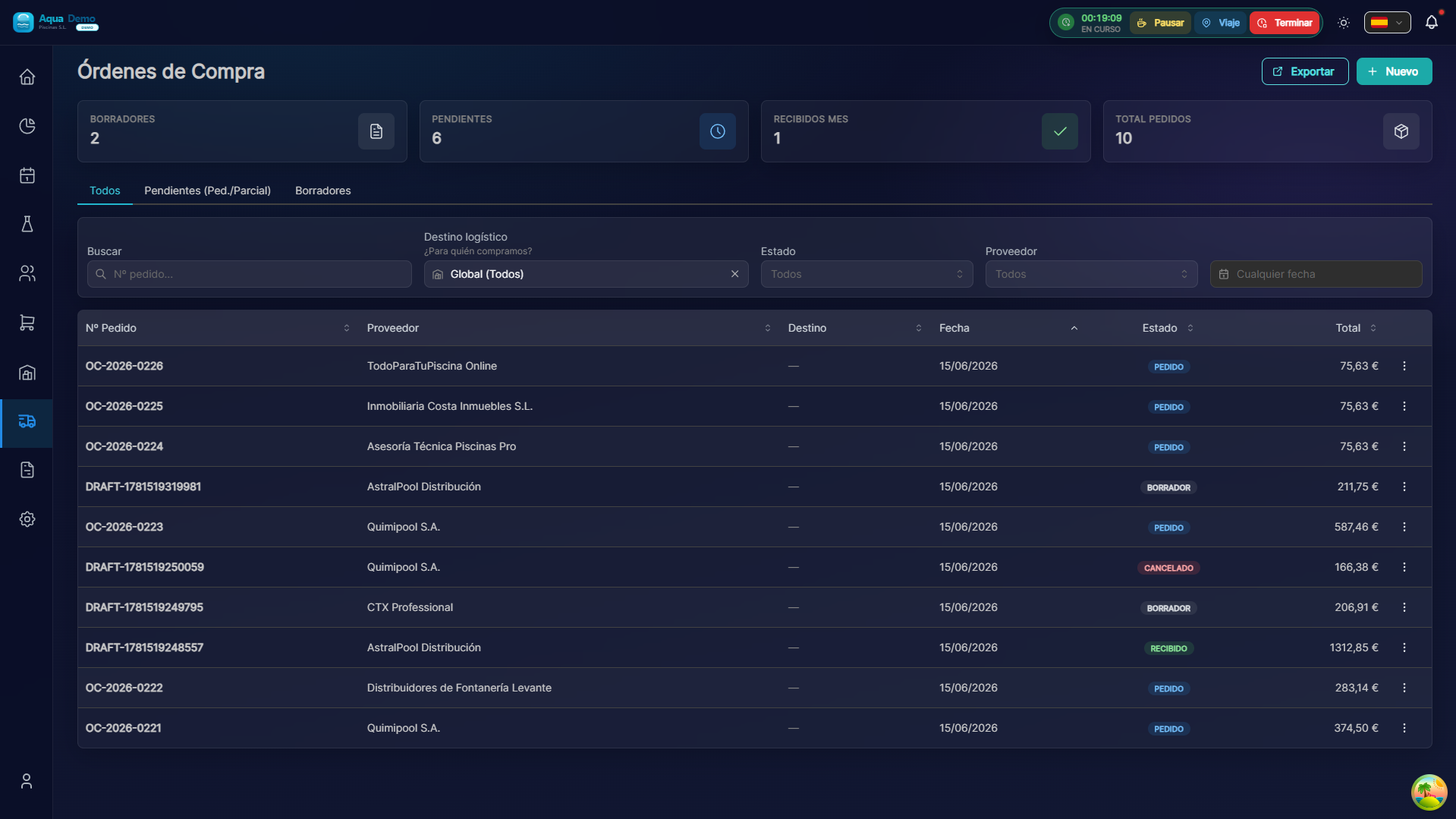
Captura con datos demo AquaDemo.Capture with AquaDemo demo data.
What are you going to learn here? How to buy products from suppliers, manage orders and control payments.
🎯 What is the Purchases module?
This module is used to buy products that you will later use or sell.
Examples of use:
- Buy chlorine from the supplier Químicos del Mar
- Place an order for material to replenish stock
- Record when the merchandise arrives
- Control what to pay to each supplier
Flow of a purchase:
1. NECESITAS PRODUCTO
        ↓
2. Creas PEDIDO al proveedor
        ↓
3. Proveedor te envía mercancía
        ↓
4. Registras RECEPCIÓN (qué llegó)
        ↓
5. Proveedor te envía FACTURA
        ↓
6. Pagas la factura
🏗️ Key concepts
Order vs Reception vs Invoice
| Document | When is it created | What does it represent |
|---|---|---|
| Order | Before receiving | Purchase request |
| Reception | Upon receiving | What really arrived |
| Invoice | After receiving | What should you pay |
Real example:
- You order 100kg of chlorine (ORDER)
- You receive 100kg (RECEPTION)
- They send you an invoice for €500 (INVOICE)
- You pay €500 (PAYMENT)
📋 What can you do here?
✅ Suppliers
- Supplier catalog
- Contact details
- Payment terms
- Purchase history
✅ Orders
- Create orders to suppliers
- Send by email
- Status tracking
- Cancel orders
✅ Receptions
- Register merchandise entry
- Check against order
- Accept partial or total
- Record incidents (breakages, faults)
✅ Supplier invoices
- Record invoices received
- Associate to orders/receptions
- Control expirations
✅ Payments
- Record payments to suppliers
- Control pending effects
- Generate bank remittances
✅ Shopping Suggestions
- Detect low stock
- Suggest optimal quantities
- Generate automatic orders
🗺️ Navigation map
📁 PURCHASING
│
├── 🏭 [Suppliers](./suppliers)
│   └── Supplier catalog and management
├── 📝 [Orders](./orders)
│   └── Create and manage orders
├── 📦 [Receipts](./receipts)
│   └── Record goods receipt
├── 📄 [Invoices & Payments](./invoices-payments)
│   └── Received invoices and payments
└── 💡 [Purchase Suggestions](./purchase-suggestions)
    └── Low stock and automatic orders
🎓 Shopping Glossary
| Term | Meaning |
|---|---|
| Supplier | Company you buy from |
| Order | Formal purchase request |
| Reception | Confirmation of what arrived |
| Delivery note | Supplier delivery document |
| Invoice | Supplier Collection Document |
| Expiration | Payment deadline |
| Effect | Payment document (receipt, promissory note) |
| Remittance | Bank payments set |
💡 When to use each function?
You need to buy more bleach:
→ Go to Purchase Suggestions or create Direct Order
A truck just arrived:
→ Go to Receptions and record what arrived
Supplier sends you invoice:
→ Go to Invoices and register it to pay it later
It's day to pay suppliers:
→ Go to Payments and generate a bank remittance