

Where is it in the app
System tab: Team, Settings (Company, My Plan, Roles, Audit), Cash registers. There is no public API /v1 — see Integrations.
⚙️ Settings
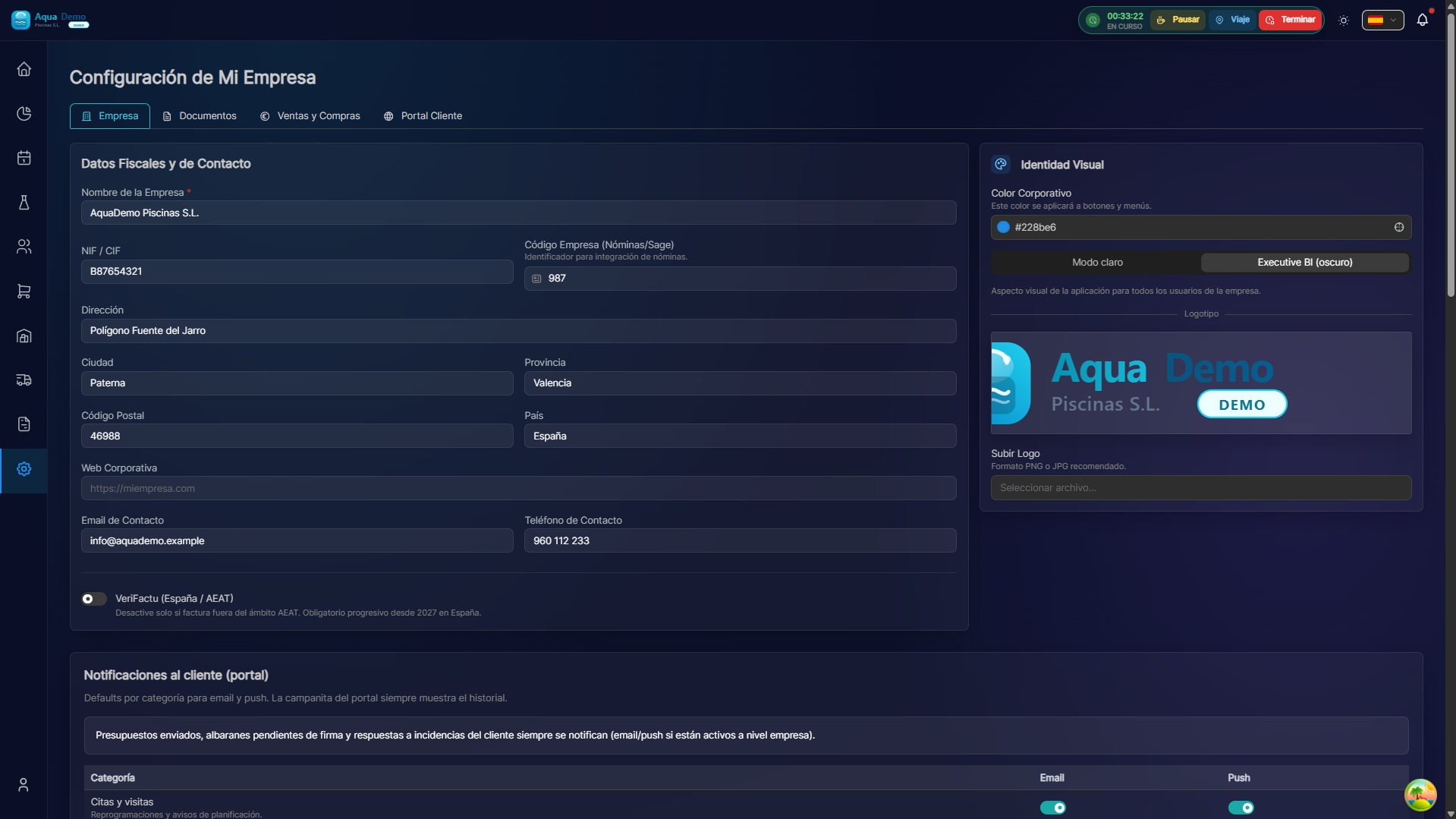
Captura con datos demo AquaDemo.Capture with AquaDemo demo data.
What are you going to learn here? How to configure your PoolControl account: users, permissions, company data and advanced settings.
🎯 What is Settings?
Here you define how PoolControl works for your company.
Examples:
- Register new workers
- Decide who can see what
- Configure tax data
- Connect with other programs
🏗️ Configuration Areas
| Area | What is it for | Who configures it |
|---|---|---|
| Team | Users and workers | Admin |
| Roles | Access permissions | Admin |
| Company | Tax data, logo, client portal | Admin |
| Notifications | Bell, email, push — team and portal | Admin / each user |
| Integrations | Connect to other systems | Admin/Technician |
| Chemistry | Targets, product by role, coefficients | Admin |
📋 What can you do here?
✅ Team and Users
- Register workers
- Assign roles
- Activate/deactivate users
- View activity history
✅ Roles and Permissions
- Create roles (Admin, Manager, Technician...)
- Define what each one can do
- Restrict access to sensitive data
- Customize permissions
✅ Company Configuration
- Tax data (CIF, address)
- Logo and colors
- Regional settings
- Automatic numbering
- Client portal (visibility, signatures, email/push to client)
✅ Notifications
- Matrix role × event × channel (bell, email, push)
- Personal preferences (My notifications in the account menu)
- Payment reminders and customer notifications without configuring anything on the server
✅ Integrations
- Connect with Sage, A3
- Sync with calendars
- Webhooks and API
- Backups
✅ Chemistry
- Water targets (pH, chlorine, TA, CYA…)
- Product by role — which item the calculator suggests
- Conservative mode and coefficients
- Dosing preview
See Chemistry settings and Chemical calculator.
🗺️ Navigation map
📁 ️ CONFIGURATION
│
├── 👥 [Team & Users](./team-management)
│   └── Add, remove, manage workers
├── 🔐 [Roles & Permissions](./roles-permissions)
│   └── What each user can do
├── 🏢 [Company Settings](./company-settings)
│   └── Tax data, logo, client portal
├── 🔔 [Notifications](./notifications)
│   └── Team, client portal, PWA push
│
├── ⚗️ [Chemistry settings](./chemistry-settings)
│   └── Products by role, targets, coefficients
│
├── 🧪 [Chemical calculator](./chemical-calculator)
│   └── Office consultation, technician visit, PDF
│
└── 🔌 [Integrations](./integrations)
    └── Connections with other systems
🎓 Glossary
| Term | Meaning |
|---|---|
| User | Person who uses the system |
| Role | Permission set |
| Permission | Allowed action (view, edit, delete) |
| Tenant | Your sandbox on the system |
| Webhook | Automatic notification to other systems |
| API | Programmer interface |
💡 When to use each function?
Hire a new technician:
→ Go to Team → New user → Assign role "Technician"
I want the manager to see billing but not collections:
→ Go to Roles → Create custom role
We changed our tax address:
→ Go to Company → Update data
I want to connect with my accounting program:
→ Go to Integrations → Export/Connect
I want the manager to not receive certain notices:
→ Account Menu → My Notifications
I want the client to receive an email when we respond to an incident:
→ System → Configuration → Company → Portal tab → activate Email to customer (and review Notifications)
⚙️ A good configuration = Security and efficiency
Configure well from the beginning and you will avoid problems later.