

📦 Receptions
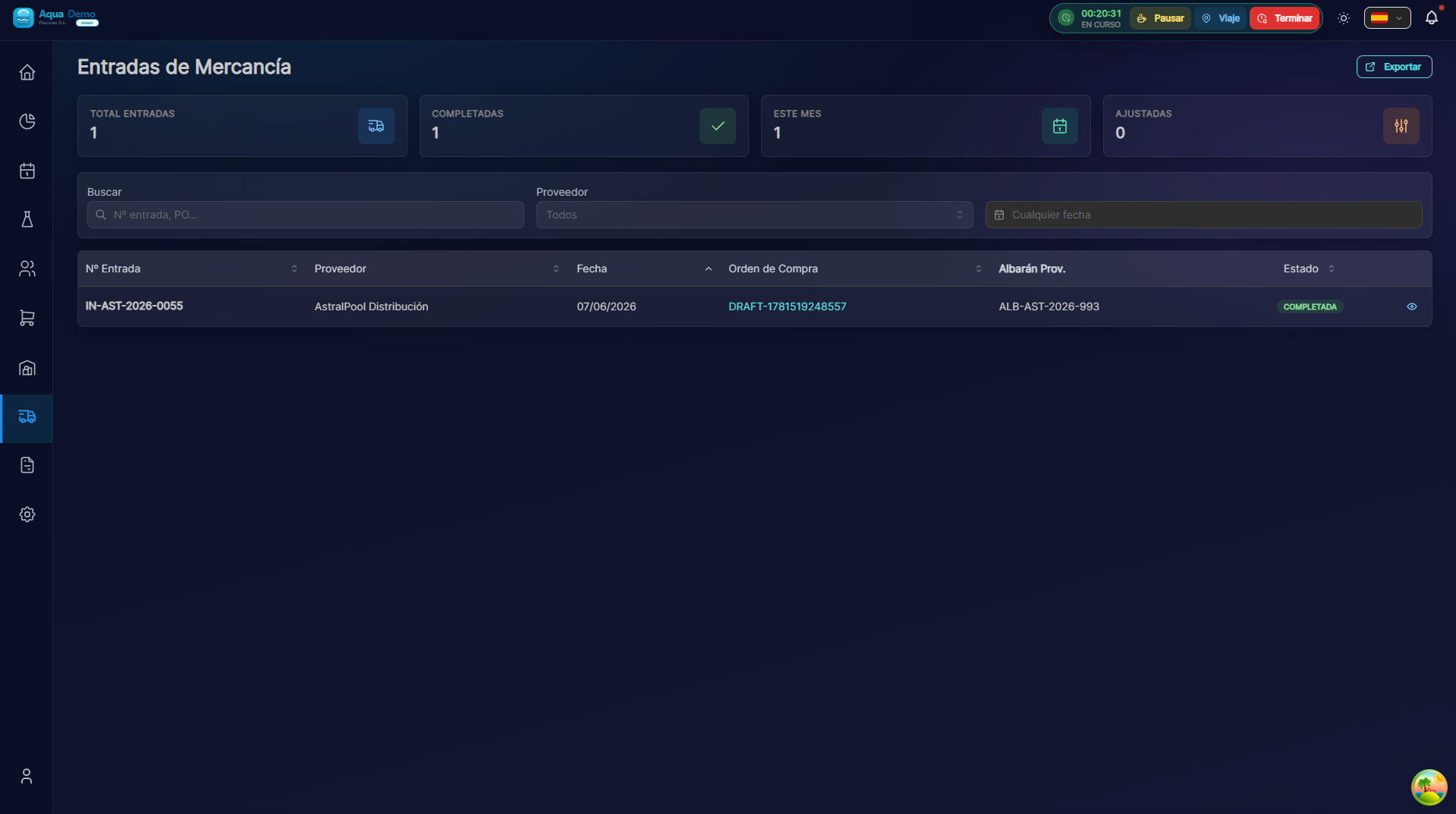
Captura con datos demo AquaDemo.Capture with AquaDemo demo data.
Estimated time: 8 minutes
Level: 🟢 Easy
When a truck arrives from the supplier
🎯 What is a reception?
reception is the record of what has arrived from a supplier.
Example:
The Químicos del Mar truck arrives. You lower the merchandise. You check: did everything arrive? Alright? You record what you received in the system. Stock rises automatically.
📝 STEP 1: Create reception
When:
When a truck/package physically arrives.
How:
- Go to Purchases → Receptions
- Press "New Reception"
- Select the order it corresponds to (if there is one)
📝 STEP 2: Check and register
What should arrive (from the order):
PEDIDO ORIGINAL:
- Cloro granulado: 100 kg
- pH- minorador: 20 L
- Algicida: 10 L
What actually arrives (you check):
RECEPCIÓN:
Producto:             Pedido:   Recibido:   Estado:
─────────────────────────────────────────────────────
Cloro granulado       100 kg     100 kg      ✅ OK
pH- minorador          20 L       20 L       ✅ OK
Algicida               10 L        8 L       ⚠️ Falta 2L
─────────────────────────────────────────────────────
How to register:
- Good: If it matches, confirm quantity
- Bad: If there is a lack or excess, indicate the REAL amount
- Broken: If there are breaks, indicate and add a photo
✅ Types of reception
Reception complete
EVERYTHING ordered arrived, in perfect condition.
Estado: ✅ RECIBIDO COMPLETOPartial reception
Only ONE PART arrived.
Estado: ⚠️ RECIBIDO PARCIAL
Motivo: "Solo tenían 8L de algicida, faltan 2L"
What happens next:
- The supplier will send what is missing in another shipment
- It remains pending in the original order
Reception with incidents
Something arrived BROKEN or in poor condition.
Estado: ❌ CON INCIDENCIAS
Motivo: "5 botes de pH- rotos, líquido derramado"
Foto: [📷 imagen de los rotos]
What happens next:
- Claims to the supplier
- They give you money back or resend
📈 What happens when receiving
Upon confirming receipt:
✅ Stock uploads automatically
- Chlorine goes from 50kg to 150kg
✅ Order is marked as "Received"
- If it was partial, it remains "Partial received"
✅ Appears in history
- You can see it later
⏳ Awaiting invoice
- When it arrives, you associate it with this reception
📋 Reception without prior order
Sometimes merchandise arrives that you did not order (urgent purchase, quick replacement):
- At reception, select "No prior order"
- Indicates supplier
- Add products received
- Confirm
Important: Then create the "post-factum" order so that everything fits.
❓ Frequently asked questions
"What if I get something I didn't ask for?"
Return it to the truck or call the supplier before receiving.
"Can I receive an order several times?"
Yes, if it arrives in several shipments (partial receipts).
"Does the stock go up automatically?"
Yes, upon confirming receipt, the stock updates itself.
"What happens if I forget to receive?"
The stock does not rise. Then you think you don't have a product and you do.
✅ Reception checklist
When the truck arrives:
- [ ] I check that the truck is from the expected supplier
- [ ] I count packages/boxes
When downloading merchandise:
- [ ] I check product by product
- [ ] I verify quantities vs. order
- [ ] Check condition (breaks, leaks...)
In the system:
- [ ] I create reception
- [ ] I indicate real quantities
- [ ] If there are incidents, I add photos and notes
- [ ] I confirm receipt
📦 Receive well = Updated stock
Without reception, there is no stock. Always check what arrives.