

🏭 Warehouses
Estimated time: 10 minutes
Level: 🟢 Easy
Where do you store your merchandise
🎯 What is a warehouse?
A warehouse is any place where you keep products in stock.
Examples of warehouses:
- 🏢 Central warehouse (your office/store)
- 🚐 Juan's van (mobile stock)
- 🚐 Pedro's van (mobile stock)
- 🏠 Secondary deposit (external garage)
📝 STEP 1: Create a warehouse
How:
- Go to Warehouse → Warehouses
- Press "New Warehouse"
- Fill in the data:
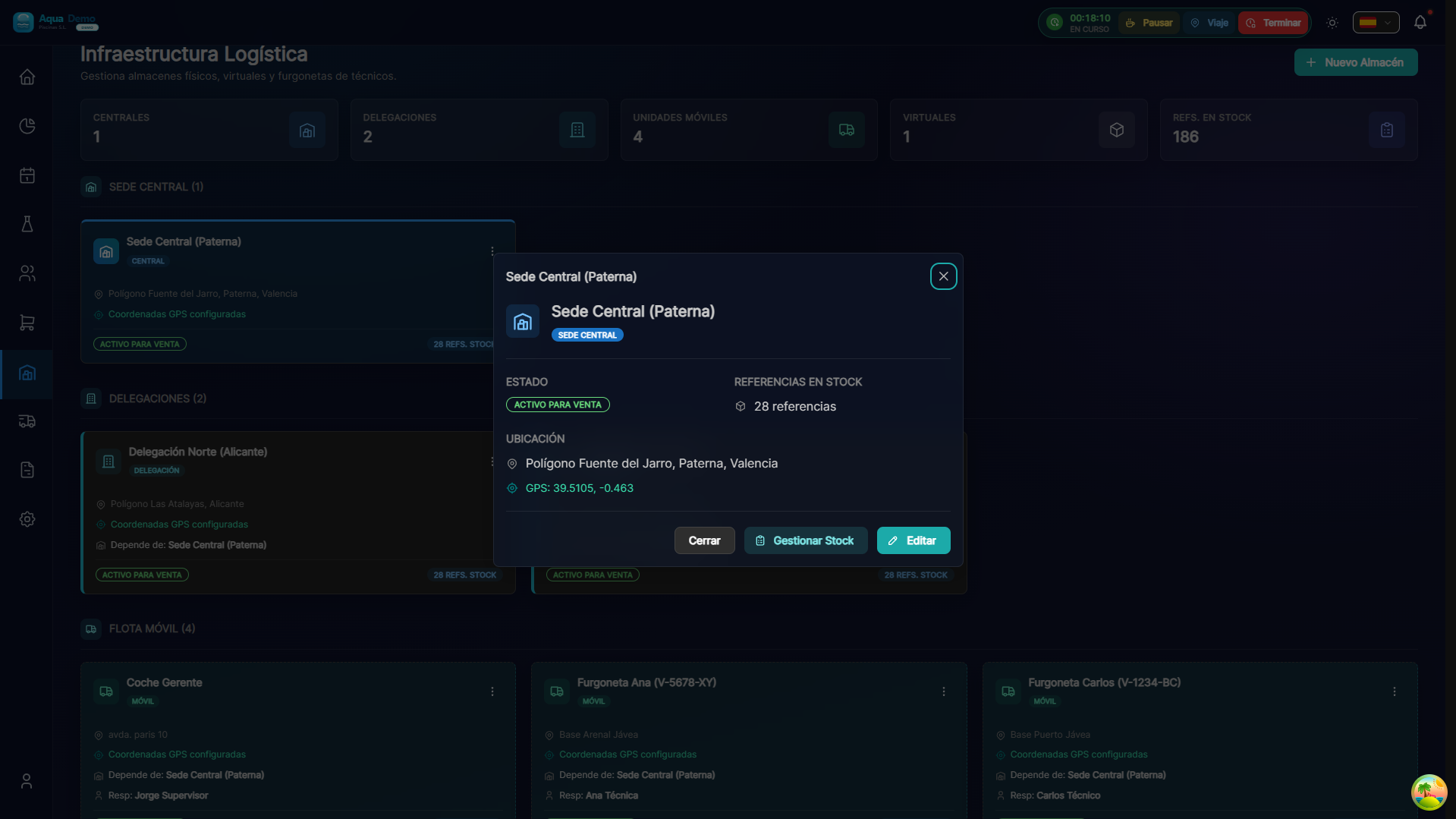
Captura con datos demo AquaDemo.Capture with AquaDemo demo data.
📋 Warehouse Types
| Type | When to use | Features |
|---|---|---|
| Fixed Warehouse | Office, store, warehouse | Main stock, receive purchases |
| Van | Mobile Stock of Technicians | Moves, limited stock |
| Deposit | Garage, storage room, secondary | Reserve stock, limited access |
🗂️ STEP 2: Create locations
Within each warehouse, you can define specific locations:
Workflow:
- Start of the week: Stock is loaded from the central warehouse
- During the week: The technician consumes in swimming pools
- Weekend: What was spent is reviewed and recharged
👥 Warehouse Permits
You can define who can do what in each warehouse:
| Role | In Central Warehouse | In Van Juan |
|---|---|---|
| Admin | Everything | Everything |
| John | View, do not modify | Everything (it's his van) |
| Peter | View, do not modify | View, do not modify |
| Maria (office) | Everything | See stock |
📊 Warehouse Panel
In Warehouse → Summary you see:
💡 Organization Tips
Tip 1: Clear location codes
Use codes that everyone understands:
A1,A2(shelf A, position 1, 2...)P1-S1(aisle 1, shelf 1)- Avoid: "the shelf behind the refrigerator"
Tip 2: Differentiated areas
- Red zone: Dangerous products (concentrated chemicals)
- Blue zone: Cleaning equipment
- Green zone: Spare parts and spare parts
Tip 3: Vans with limits
Defines maximum stock for vans:
- They can't carry everything (limited space)
- Basic stock for 1 week of work
- Recharge weekly
❓ Frequently asked questions
"Can I have multiple warehouses?"
Yes, as many as you need. The normal thing is: 1 central + 1 per technician.
"What happens if I delete a warehouse?"
You cannot delete a warehouse with stock. First transfer or adjust the stock to zero.
"Does the technician see his stock in the app?"
Yes, in the "Stock" tab you see what you have in your van.
"Can I inventory just one van?"
Yes, inventories can be by warehouse.
✅ Configuration checklist
When creating warehouse:
- [ ] Descriptive name (everyone understands what it is)
- [ ] Correct type (landline/mobile)
- [ ] Assigned responsible
- [ ] Defined locations (if large)
- [ ] Full address
When creating locations:
- [ ] Clear and short code
- [ ] Description (what goes there)
- [ ] Photo of the location (optional but useful)
🏭 A well-organized warehouse = Time saved
Knowing where everything is saves you hours of searching.