

📅 Planning and Routes
What are you going to learn here? How to organize daily work: who goes to which pool, when, and how to manage changes.
Real screens (Operational)
| Function | Menu | Route |
|---|---|---|
| Agenda / calendar | Agenda (Drag & Drop) | /planner |
| Recurring routes | Master Routes | /planning/routes |
| Reassign visits | Reassign Visits | /transfers |
| Absences | Absences | /planning/availability |
| Loading dock | Side panel in Agenda (pending work) |
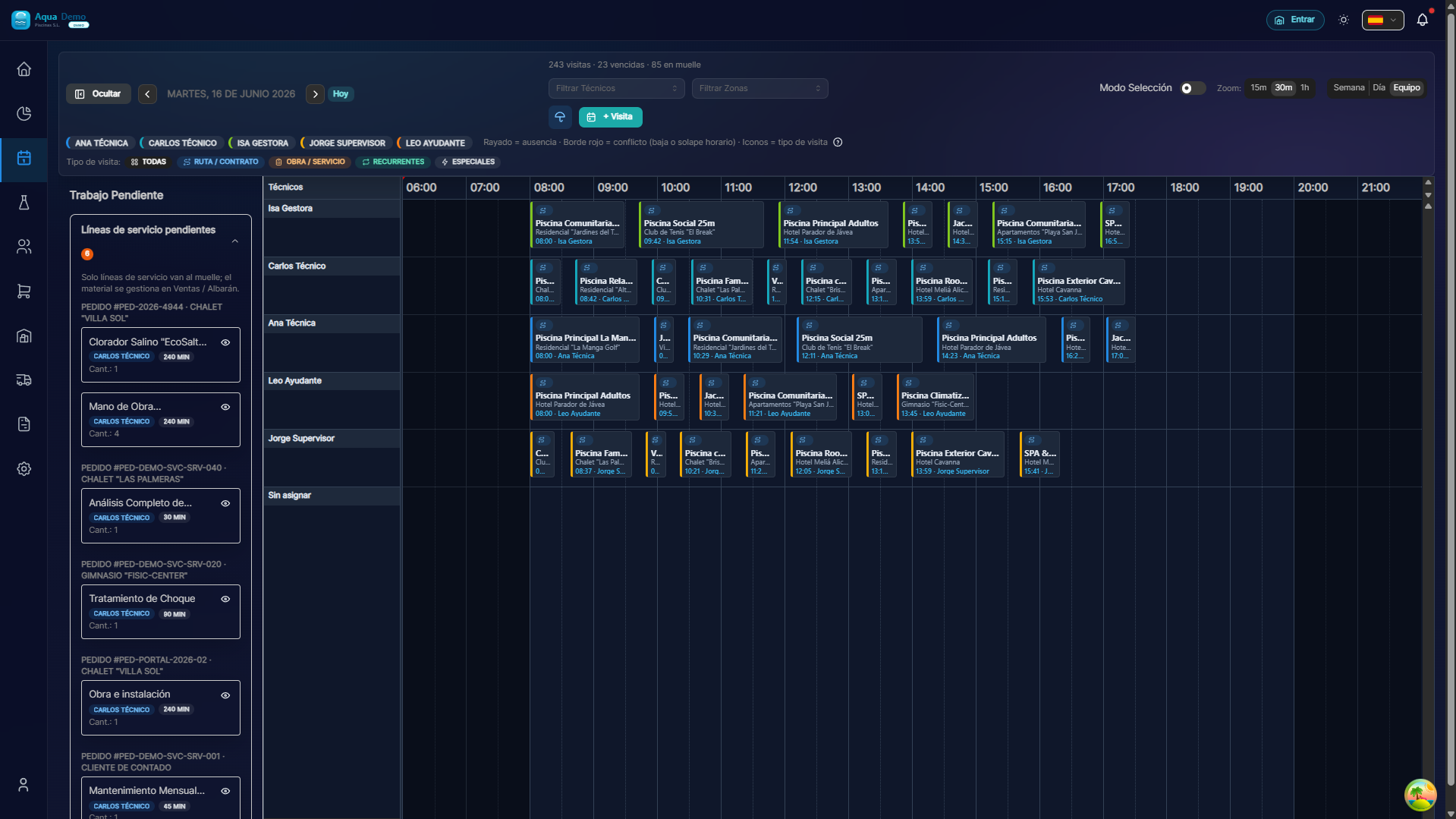
Captura con datos demo AquaDemo.Capture with AquaDemo demo data.
🎯 What is this section for?
Planning is the heart of PoolControl. Here you decide:
- 📍 Which pools are cleaned every day
- 👷 Which technician goes to each pool
- ⏰ What time should you be at each site
- 🔄 What happens if it rains or a technician gets sick
🏗️ Basic concepts (understand them well)
1️⃣ Visit vs Route
| Concept | What is it | Example |
|---|---|---|
| VISIT | A technician + a pool + a date/time | "Juan goes to the Hotel La Palmera on Monday the 15th at 10:00" |
| ROUTE | All technician visits in one day | "Juan: Hotel La Palmera → Casa García → El Sol Community" |
Anatomy of a visit: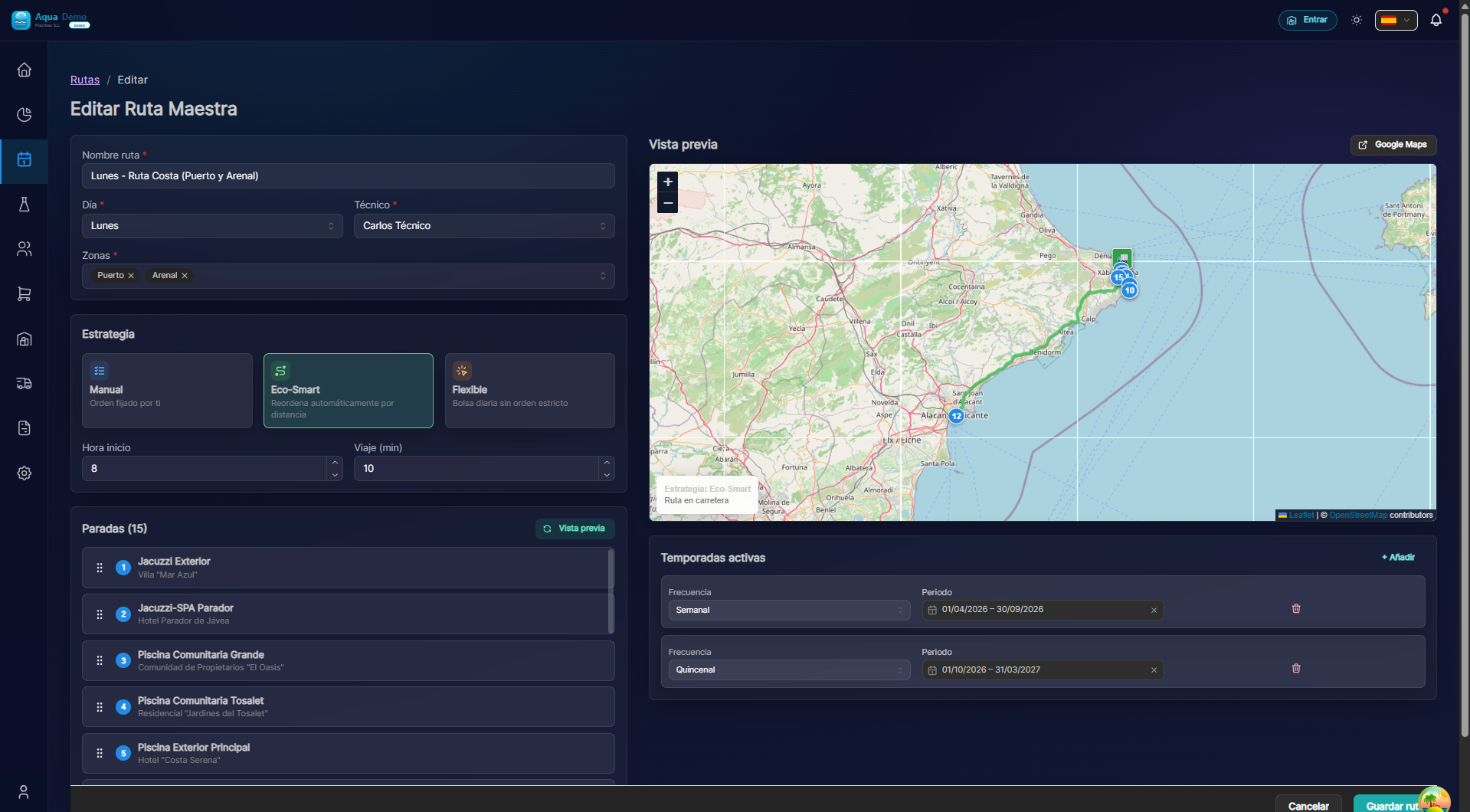
Captura con datos demo AquaDemo.Capture with AquaDemo demo data.
2️⃣ Types of Visits
| Type | Description | How it is created |
|---|---|---|
| Scheduled | Pre-planned visits | Manual or master routes |
| Special | Specific visits out of the ordinary | "New Visit" Button |
| Urgency | Breakdowns or incidents | From incident history |
3️⃣ Statuses of a Visit
A visit goes through different states:
- Pending → Created but without assigned technician
- Assigned → Already has a technician, waiting for the day
- In progress → The technician has arrived and started
- Completed → The technician has finished and sent the report
- Cancelled → It has been canceled (rain, customer notifies...)
📋 What can you do in this section?
✅ See the calendar
- Weekly agenda view
- List view
- Filters by technician, area, date
✅ Create visits
- One by one (special visits)
- En masse (master routes)
- Drag and drop
✅ Assign technicians
- Manually
- Automatically by zones
- By drag and drop
✅ Manage changes
- Reschedule a visit
- Reschedule many at once (rain mode)
- Transfer from one technician to another
- Cancel visits
✅ Master routes
- Create routes that repeat automatically
- Set seasons (summer/winter)
- Define frequencies (Monday, Wednesday, Friday)
🗺️ Navigation map
📁 PLANNING
│
├── 📆 [Calendar](./calendar)
│   └── How to use the visual calendar
├── 📝 [Schedule Visits](./visit-scheduling)
│   └── Create and modify visits
├── 🔄 [Transfers](./transfers)
│   └── When a technician hands a visit to another
└── 📦 [Loading Dock](./loading-dock)
    └── Work pending assignment
🎓 Planning Glossary
| Word | Meaning |
|---|---|
| Visit | Once a technician goes to a pool |
| Route | Set of one-day visits |
| Slot | Time gap (ex: 30 minutes) |
| Reschedule | Change date/time of a visit |
| Transfer | Transfer visit from one technician to another |
| Master route | Recurring Visits Template |
| Season | Time period (ex: June-September) |
| Loading dock | Unassigned visits |
🚀 Where do I start?
If it's your first time:
👉 Go to Calendar to understand how the main view works.
If you already use the calendar:
👉 Go to Schedule Visits to learn how to create your first visit.
If you have many repeat visits:
👉 Go to Master Routes to automate.
If it rains or there are unforeseen events:
👉 Go to Batch Operations to reschedule everything quickly.