

🗺️ Geographic Zones
Access
Operational → Geographic Zones (/app/pool-control/planning/zones). Typical permission: ROUTE_MASTER_EDIT.
Estimated time: 10 minutes
Level: 🟡 Medium
Organize your work territory
🎯 What are Zones?
Zones allow you to divide your work area into geographic regions. Each zone can contain multiple pools and be assigned to specific technicians.
Types of zones supported:
- 🟢 Manual - Manual pool assignment
- 🔵 Circle - Center + radius in kilometers
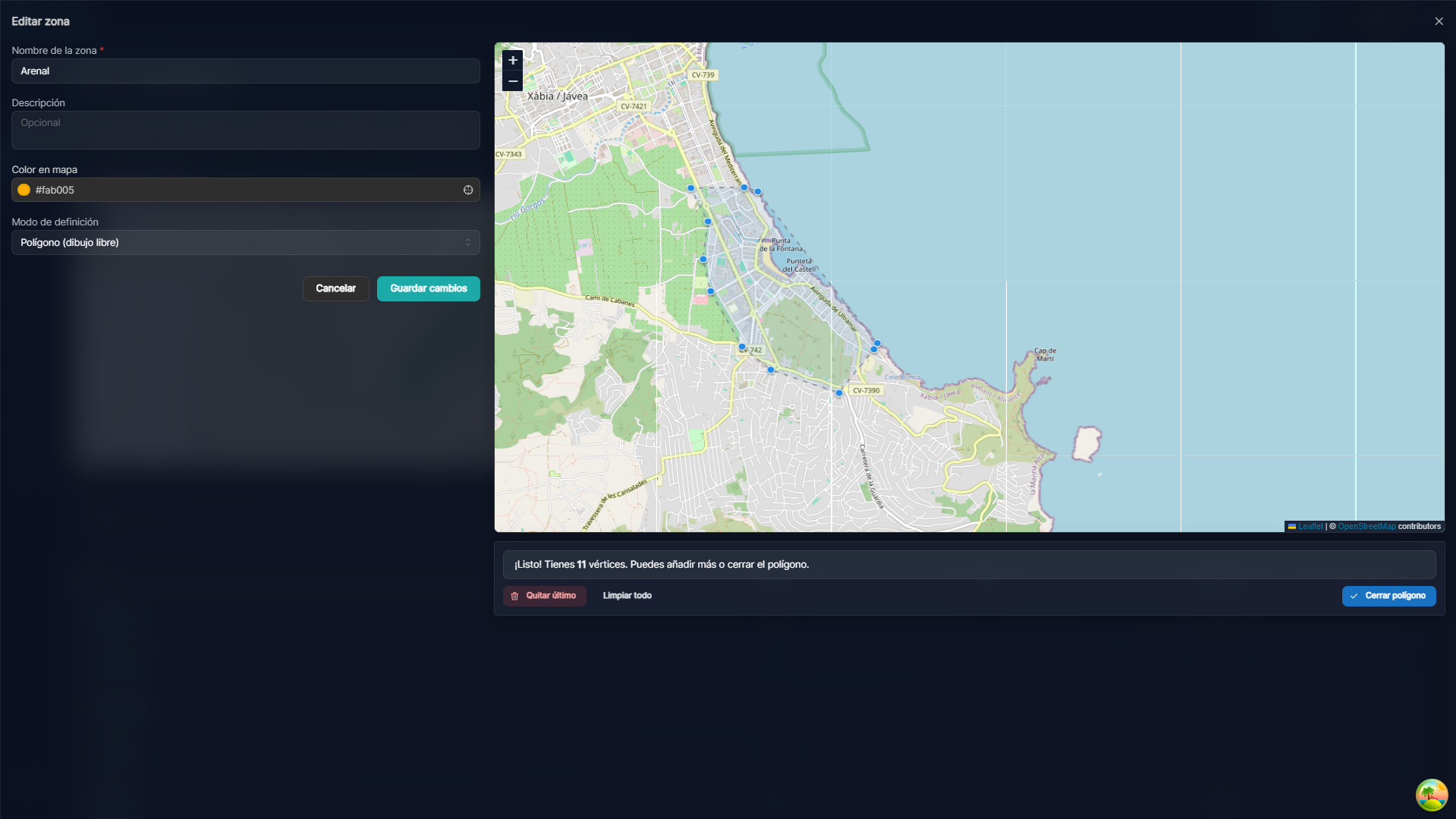
- 🟣 Polygon - Free area drawn on the map
✅ Available Features
Create Circle Zone
Draw a circle on the map: center + radius in kilometers. Pools within the radius can be assigned to the zone.
Create Polygon Zone
Draw the free contour on the map for irregular areas (coast, long urbanizations, etc.).
🗺️ Coverage Map
View all your areas on the map:
Captura con datos demo AquaDemo.Capture with AquaDemo demo data.Map Features:
- ✅ Circle zones shown with real radius
- ✅ Polygon zones with exact area
- ✅ Pool markers with zone color
- ✅ Popup with info when clicked
- ✅ Auto-zoom to content
🤖 Automatic Assignment
When a pool has GPS coordinates, the system automatically suggests the corresponding area:
How it works:
- For circles: calculate distance from center
- For polygons: Ray Casting algorithm (point inside polygon)
- If it is in several areas, suggest the one closest to the center
📋 Zone Management
List of areas
On the same screen you will see the list of zones, colors and number of assigned pools.
Reassign pools
You can move pools between zones:
- Enter the destination area
- Press "Add pools"
- Select the ones you want to move
- Save
💡 Practical Uses
1. Assign zones to technicians
Juan: Zona Norte + Zona Centro (cerca de su casa)
María: Zona Sur
Pedro: Reservado para urgentes
2. Planning by zones
Lunes: Solo Zona Norte
Martes: Solo Zona Centro
Miércoles: Mixto (optimizado por GPS)
3. Performance analysis
Invoicing por zona:
• Norte: 12.400€ (mayor potencial)
• Centro: 8.200€
• Sur: 5.100€ (necesita más clientes)
❓ Frequently Asked Questions
"Can I have overlapping zones?"
Yes, a pool can be in several areas. The system suggests the best one according to distance from the center.
"What happens if I move a site zone?"
The pools maintain their assigned area. If you want to reassign them, do it manually or use "Suggest Zone" on each one.
"Does the polygon have a point limit?"
No, you can add as many vertices as you need to define the exact area.
"Are the zones visible in the technician's app?"
Indirectly. The technician sees their assigned pools, which are grouped by zone on the backend.
✅ Configuration Checklist
- [ ] Create zones with clear names
- [ ] Define type: circle or polygon as needed
- [ ] Assign different color to each zone
- [ ] Check on the map that they cover the desired area
- [ ] Assign pools (automatic or manual)
- [ ] Configure master routes by zone