

Real menu
Logistics: transfers, quarantine, RMA, Physical inventory, Infrastructure (warehouses). Technical stock: My Van. Do not confuse stock transfers with Reassign Visits in Operational.
📦 Warehouse and Inventory
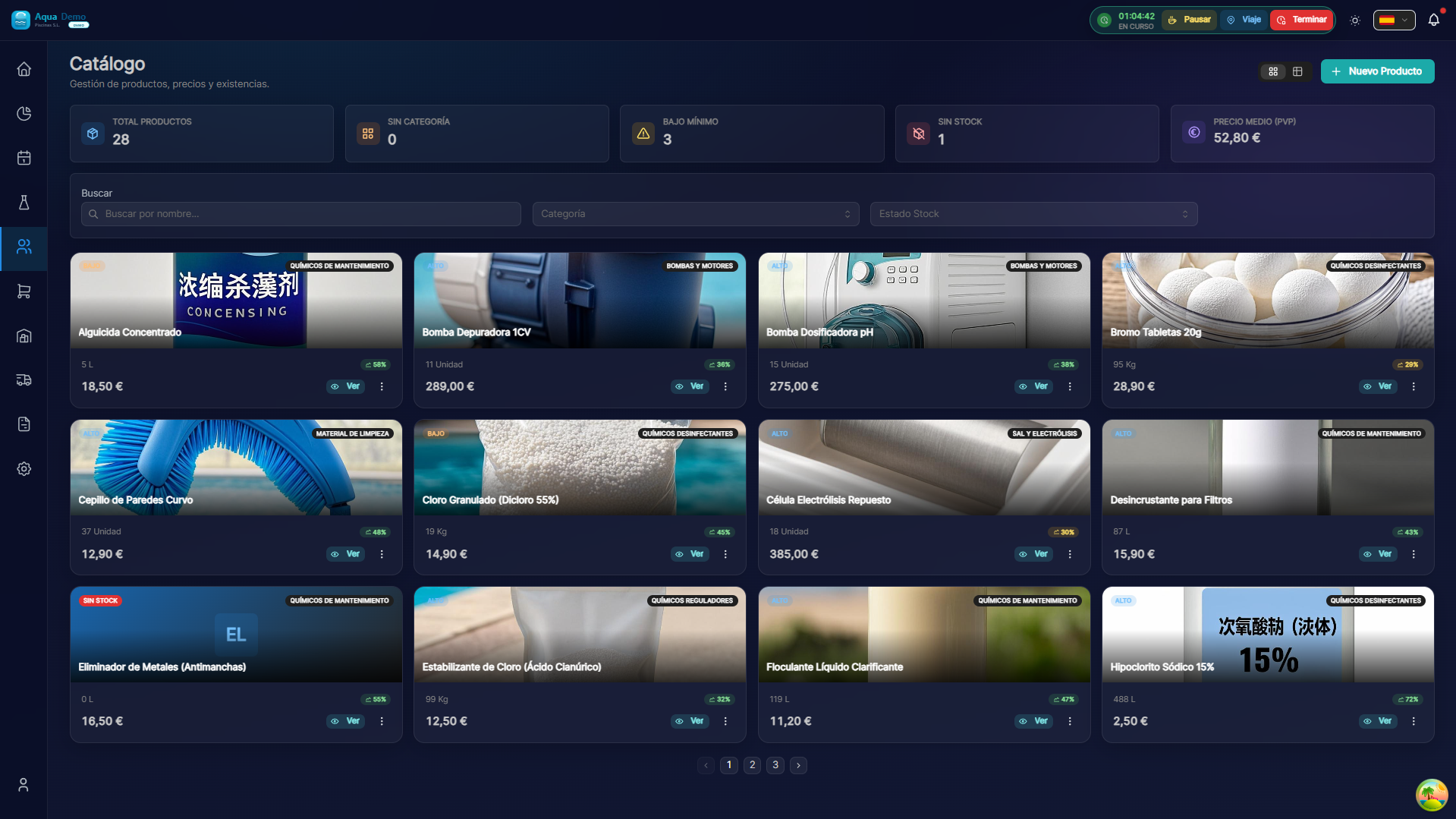
Captura con datos demo AquaDemo.Capture with AquaDemo demo data.
What are you going to learn here? How to manage your warehouse, control product stock and keep inventory updated.
🎯 What is the Inventory module?
This module is used to know what products you have, where they are and how many there are.
Examples of use:
- Know if you have enough chlorine for the week
- Find where a specific product is
- Make physical inventory and check with the system
- Transfer stock between warehouse and vans
- Control products that expire
NOT for:
- ❌ Buy from suppliers (that's Purchasing)
- ❌ Invoice products (that's Sales)
- ❌ Record consumption in swimming pools (that's Technical App)
🏗️ Key concepts
1️⃣ Warehouse vs Location
| Concept | What is it | Example |
|---|---|---|
| WAREHOUSE | Physical place where you keep stock | Central warehouse, Van Juan |
| LOCATION | Specific area within the warehouse | A3 Shelf, Drawer 5 |
Example:
Almacén: Oficina Central
├── Ubicación: Estante A1 (productos pesados)
├── Ubicación: Estante A2 (productos ligeros)
└── Ubicación: Cámara frigorífica (productos sensibles)
2️⃣ Theoretical Stock vs Actual Stock
| Type | What is it | When it differs |
|---|---|---|
| Theoretical Stock | What the system says | Always |
| Real Stock | What's really there | When you square |
Why do they differ?
- Unregistered breaks
- Theft
- Counting errors
- Expired products thrown away
3️⃣ Types of Movement
TIPOS DE MOVIMIENTO DE STOCK:

📥 ENTRADA
├── Compra a proveedor
├── Devolución de cliente
├── Transferencia desde otro almacén
└── Ajuste positivo (inventario)

📤 SALIDA
├── Venta a cliente
├── Consumo en piscina (técnico)
├── Transferencia a otro almacén
└── Ajuste negativo (inventario)

🔄 TRANSFERENCIA
├── Entre almacenes
├── Misma cantidad, cambia ubicación
└── No afecta stock total
📋 What can you do here?
✅ Warehouse Management
- Create multiple warehouses (central, vans, warehouses)
- Set up locations within each warehouse
- Define those responsible for each warehouse
✅ Stock Control
- See current stock of each product
- Configure minimum stock (alerts when low)
- Set maximum stock (storage limit)
- View products about to expire
✅ Physical Inventories
- Make periodic counts
- Compare theoretical vs actual stock
- Adjust differences
- Generate inventory reports
✅ Stock Movements
- View entry and exit history
- Find who moved what and when
- Cancel erroneous movements
- Export movements to Excel
✅ Transfers
- Move stock between warehouses
- Send material to vans
- Receive van returns
- Control pending transfers
✅ Product Catalog
- Create new products
- Set units of measurement
- Put barcodes
- Define regular suppliers
🗺️ Navigation map
📁 INVENTORY
│
├── 🏭 [Warehouses](./warehouses)
│   └── Create and configure warehouses
├── 📊 [Stock Control](./stock-control)
│   └── Minimum levels, alerts, expiry dates
├── 🧮 [Physical Stock Counts](./stock-counts)
│   └── Counts, adjustments, stock reconciliation
├── 📦 [Stock Movements](./movements)
│   └── History, ins, outs, traceability
└── 🔄 [Transfers](./transfers)
    └── Transfers between warehouses
🎓 Inventory Glossary
| Term | Meaning |
|---|---|
| Stock | Available quantity of a product |
| Warehouse | Physical place where stock is kept |
| Location | Specific site within the warehouse |
| Inventory | Physical count of all stock |
| Adjustment | Stock correction (when there are differences) |
| Expiration | Deadline to use a product |
| Lot | Group of products from the same purchase |
| Traceability | Know where each product is |
💡 When to use each function?
I want to know if I have enough chlorine:
→ Go to Stock Control → See current stock
The technician says he has no material:
→ Go to Transfers → Send stock to your van
It's the end of the month and we have to take inventory:
→ Go to Physical Inventories → New count
I want to know who used the last bleach:
→ Go to Movements → Search by product
I need to create a new product:
→ Go to Product Catalog → New product
📦 A well-managed inventory = Money saved
Without stock there is no business. Control your warehouse and avoid surprises.