

🔐 Roles and Permissions
Estimated time: 10 minutes
Level: 🟡 Medium
Who can do what
🎯 What are roles?
A role is a set of permissions that defines what a user can do.
Example:
The "Technician" role can:
- View your assigned pools
- Fill work parts
- See your stock
But you CANNOT:
- View invoices
- Modify prices
- Delete clients
📋 Predefined roles
PoolControl comes with roles out of the box:
| Role | Primary permissions | For whom |
|---|---|---|
| Administrator | Everything | The owner, boss |
| Manager | Complete management, no configuration | Operations Manager |
| Senior Technician | Everything from the technician + some procedures | Experienced technician |
| Technical | Mobile app, your visits, your stock | Pool cleaner |
| Office | Clients, billing, appointments | Administrative |
| Read Only | See everything, touch nothing | External accountant, auditor |
📝 Create a custom role
How:
- Go to Settings → Roles
- Press "New Role"
- Set permissions:
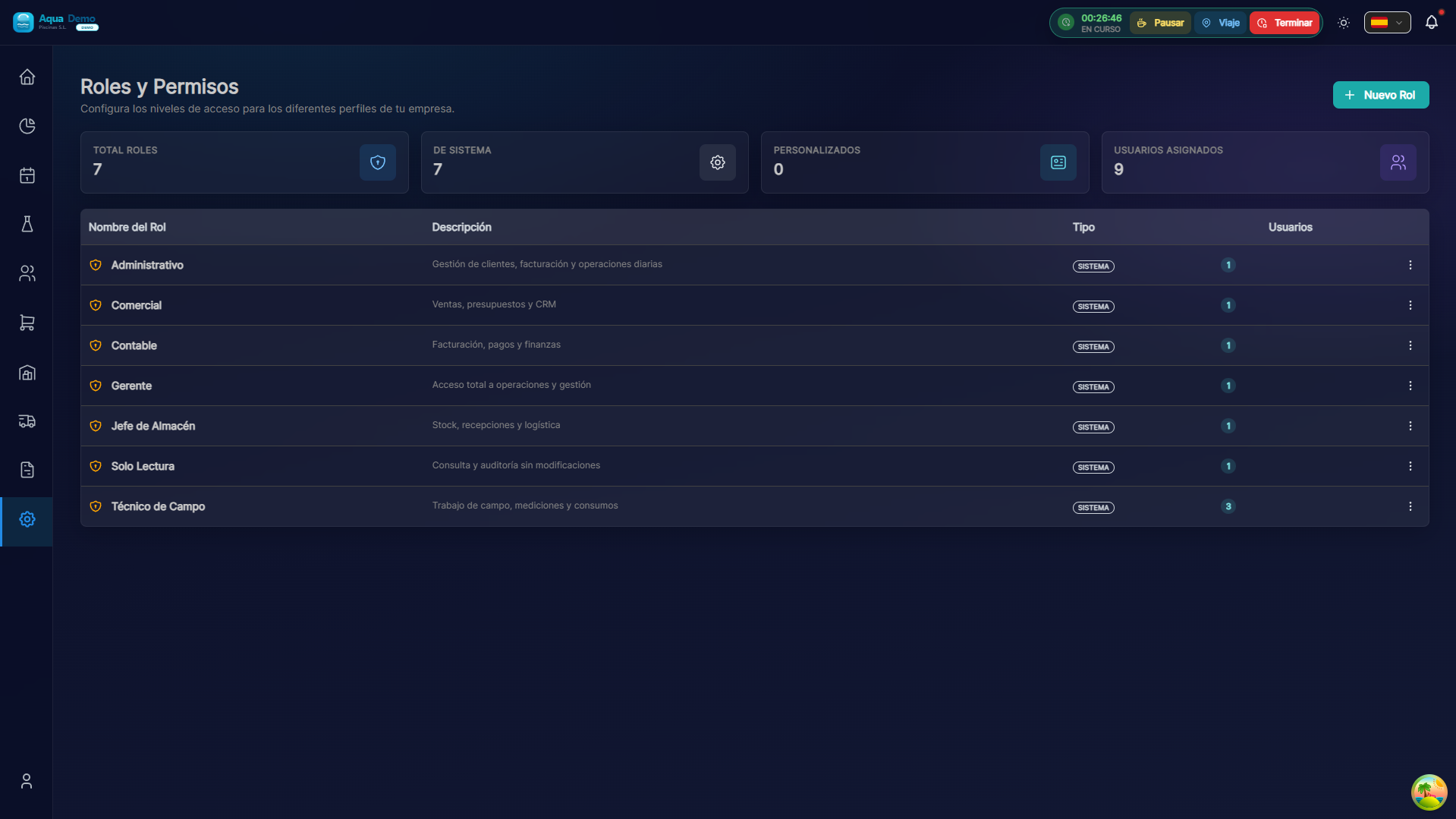
Captura con datos demo AquaDemo.Capture with AquaDemo demo data.
📊 Permissions matrix
Visual summary of what each role can do:
💡 Safety Tips
Tip 1: Principle of least privilege
Give each person only what they need for their work.
Tip 2: Review roles quarterly
Has anyone changed roles? Update your role.
Tip 3: Don't give everyone delete permissions
Delete should be for admins only. The rest, deactivate.
Tip 4: Audit
Check who does what. Detect strange behaviors.
❓ Frequently asked questions
"Can I have a middle role?"
Yes, create custom roles with the exact permissions you need.
"Can a technician see data from other technicians?"
It depends on the role. "Technician" only sees his own thing. "Senior Technician" can see more.
"What happens if you remove a permission from someone who is using it?"
The action is blocked immediately. You may need to reload the page.
"Can I limit by geographic area?"
Yes, some permissions allow you to limit to "my zone only".
✅ Role checklist
- [ ] Each user has the appropriate role
- [ ] No excessive permissions
- [ ] Documented custom roles
- [ ] Scheduled quarterly review
- [ ] Access auditing enabled
🔐 Security starts with permissions
Not everyone needs to see everything. Protect your data.