

🧙 Billing Assistant
Estimated time: 12 minutes
Level: 🟡 Medium
The fastest way to invoice the entire month
🎯 What is the assistant?
The Billing Assistant is a tool that groups everything billable for a period and generates invoices automatically.
Example:
January is over.
You have 50 clients with visits, consumption, fees...
The assistant reviews everything, shows it to you, and generates 50 invoices at once.
📝 STEP 1: Select period
- Go to Billing → Billing Assistant
- Select the period to bill:
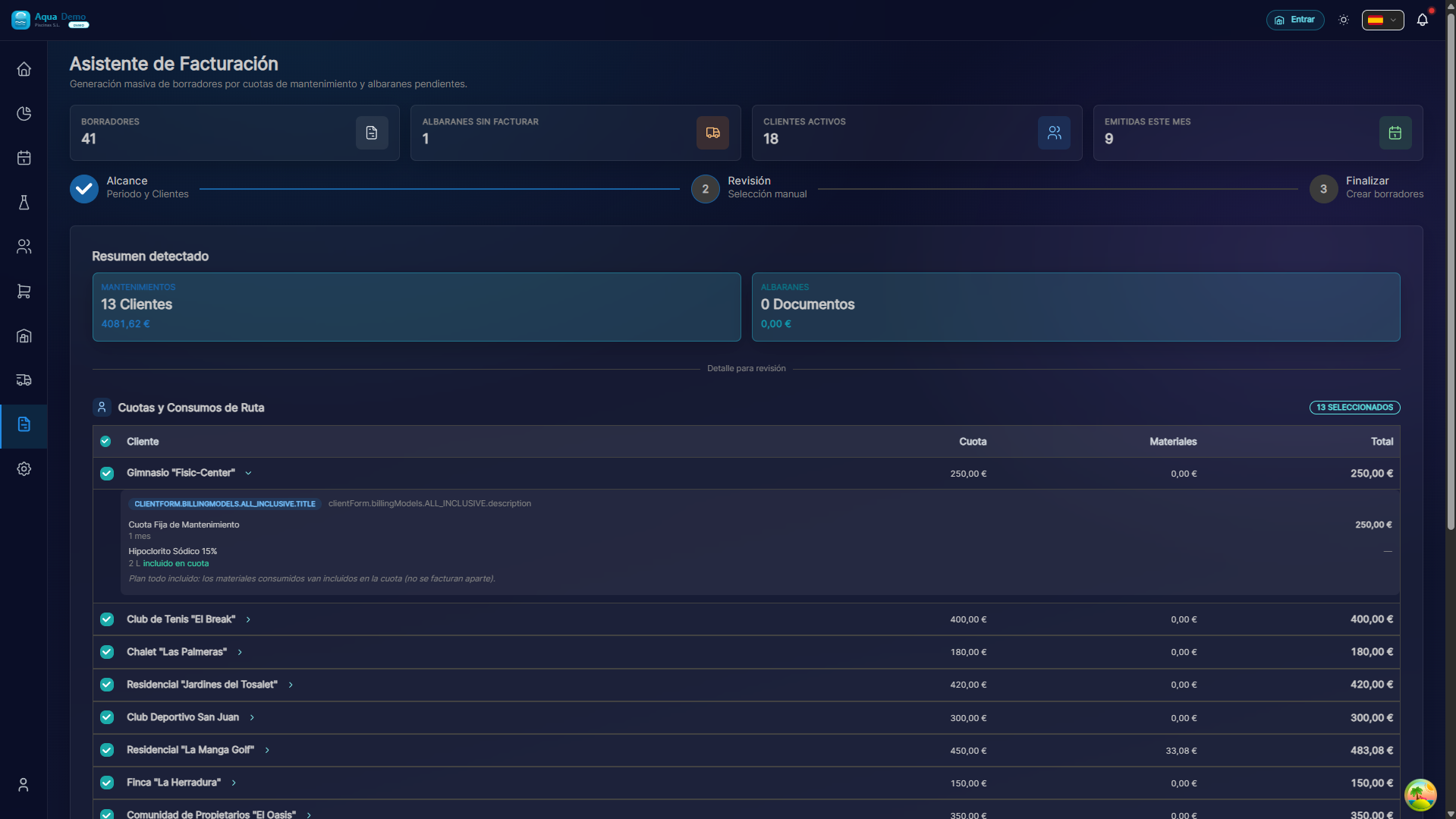
Captura con datos demo AquaDemo.Capture with AquaDemo demo data.Tip: Always invoice in full month. It is easier to control.
📊 STEP 2: Review what is billable
The system analyzes and shows you:
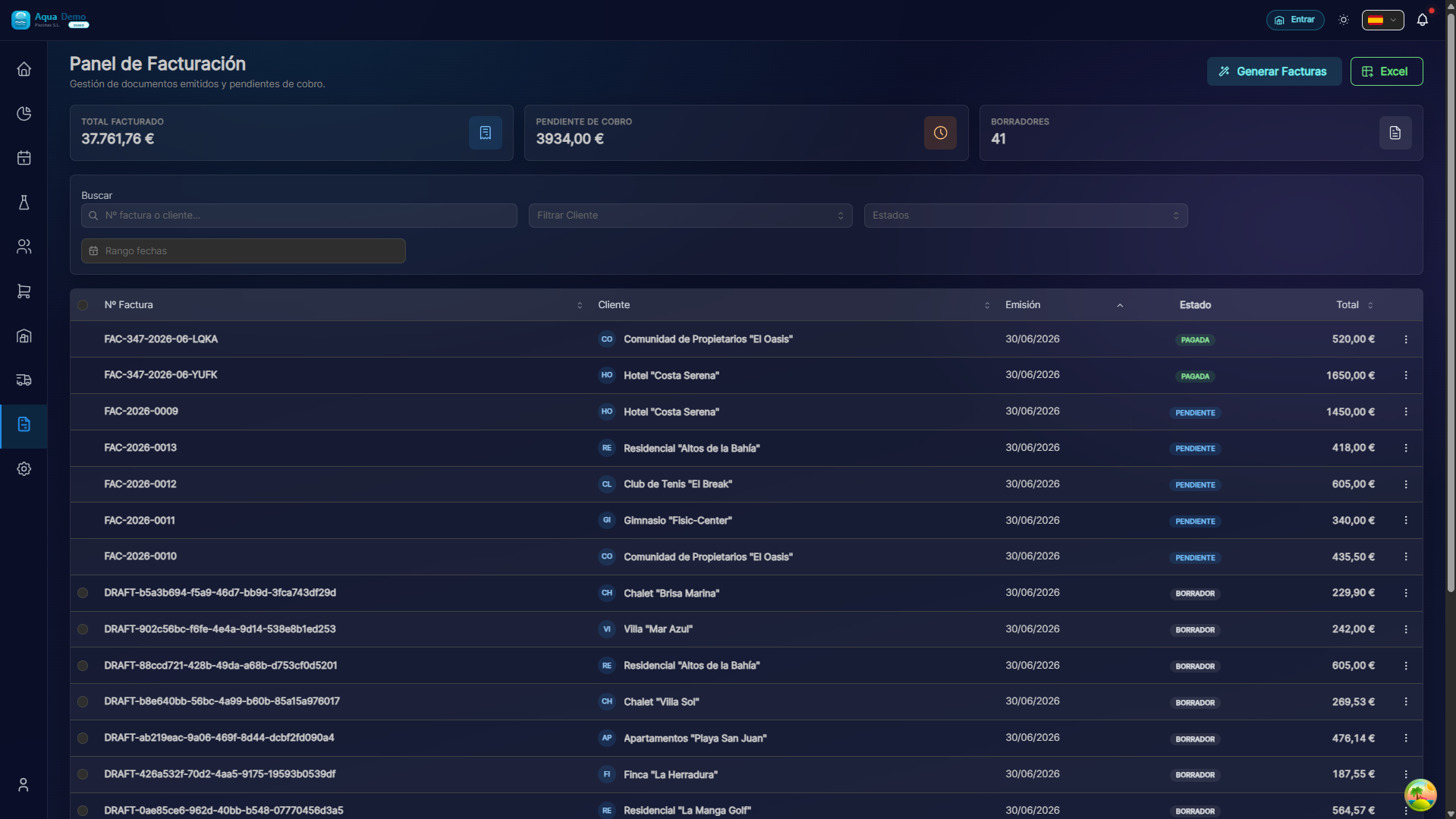
Captura con datos demo AquaDemo.Capture with AquaDemo demo data.Capture with demo manager user (AquaDemo data).
🔍 STEP 3: Review client by client (optional)
If you want to review before billing:
If there is something wrong:
Example: The technician put 450kg of chlorine instead of 45kg.
After generating:
✅ FACTURAS GENERADAS CORRECTAMENTE

• Facturas creadas: 47
• Importe total: 29.645€
• Emails enviados: 45 (2 sin email configurado)

PRÓXIMOS PASOS:
[📧 Ver facturas generadas]
[🏦 Generar remesa bancaria]
[📄 Exportar a contabilidad]
[⬅️ Back to start]
📋 Special cases
Customer with multiple pools:
CLIENTE: Comunidad El Sol (4 piscinas)

Opción A: Una factura con todo
• Cuota: 600€ (4 x 150€)
• Un solo documento

Opción B: Factura por piscina
• Piscina 1: 150€
• Piscina 2: 150€
• Piscina 3: 150€
• Piscina 4: 150€
• (El cliente pide esto para repartir gastos)
Customer who only owes products (no fee):
CLIENTE: Tienda de Piscinas (cliente ocasional)

• No tiene cuota de mantenimiento
• Solo compró productos en el TPV
• Factura: 45€ (cloro comprado)
• No aparece en facturación mensual
💡 Billing Tips
Tip 1: Invoice on the same day every month
The last day of the month or the first of the next. This is how customers get used to it.
Tip 2: Check the "outliers"
Before generating, look at the abnormal consumptions (many or few). They could be errors.
Tip 3: Save drafts
If you're not sure, generate as "Draft" first. You review and then broadcast.
Tip 4: Automatic Email
Set up auto-send to save time.
❓ Frequently asked questions
"Can I bill only one client?"
Yes, from your file: Customer → Bill.
"What happens if a client has no visitors this month?"
It depends on the payment method:
- All Inclusive: The same fee is billed (preventive maintenance)
- Fee + Consumption: Fee + 0 consumption is billed
- Service Only: Nothing is billed
"Can I change the price of a product for this customer only?"
Yes, in the detailed review you can edit amounts.
"Does the customer receive the invoice automatically?"
Yes, if you check "Send by email automatically." If not, you send it later.
✅ Checklist before billing
- [ ] Correct period selected
- [ ] All work reports completed
- [ ] Revised consumption (reasonable quantities)
- [ ] Updated prices
- [ ] Correct billing series
- [ ] Configured customer emails
🧙 The assistant invoices in minutes what previously took days
Automate and reduce errors.