

🏢 Company Settings
Estimated time: 10 minutes
Level: 🟢 Easy
Customize PoolControl for your company
🎯 What to configure here?
The data of your company that will appear in:
- Invoices
- Emails
- Technician App
- Reports
VeriFactu Certificate (AEAT)
In Company → VeriFactu Certificate the administrator can upload the .pfx of the obligated issuer:
- Purpose: mTLS authentication when sending billing records to the AEAT.
- Storage: encrypted file and password in database (not in plain text).
- The NIF of the certificate must match the tax NIF of the company.
- You can delete the certificate whenever you want; You will no longer be able to send to AEAT until you upload a new one.
It does not replace the privacy policy; see also VeriFactu.
🌐 Customer Portal (dedicated tab)
In the Customer Portal tab you configure what each customer sees and what they can do in poolcontrolpro.com/portal.
Data visibility
| Option | Effect |
|---|---|
| Exact chemical values | Shows ppm/concentration; if not, just "Correct/Incorrect" |
| Technician details | Name and contact of the assigned technician |
| Photos of visits | Gallery in pool history and details |
| Budgets | Section /portal/quotes |
| Orders | Section /portal/orders |
| Invoices | Section /portal/invoices |
| Delivery notes | Section /portal/delivery-notes |
Client Actions
| Option | Effect |
|---|---|
| Incident report | Floating button (FAB) on mobile |
| Accept quotes | Digital signature and acceptance in portal |
| Create order upon acceptance | Generate automatic order; PROJECT goes to the dock |
| Sign delivery notes in portal | The client can sign pending delivery notes in /portal/delivery-notes |
Digital signatures (delivery notes and parts)
| Option | Effect |
|---|---|
| Require signature on delivery notes | New delivery notes remain Pending signature until I receive them in agreement |
| Customer reference | Do not request / Optional / Mandatory upon signing (customer order number) |
| If signature is missing when invoicing | Allow / Notify / Block billing of delivery notes without signature |
| Signing Station | Activate /app/pool-control/signing-station (tablet in stock) |
| Station PIN | Optional; leaves empty for employee login only |
| Customer signature required in parts | The technician must collect the client's signature at the end of the visit |
Supported capture channels: touch (mobile/tablet), mouse (desktop), signing station, portal (async). USB signature tablets usually work without an extra driver.
Guides: ERP delivery notes · Signing Station · Portal delivery notes
By default the documents and acceptance options are activated in new tenants.
Complete guide: Client Portal.
📝 Tax Data
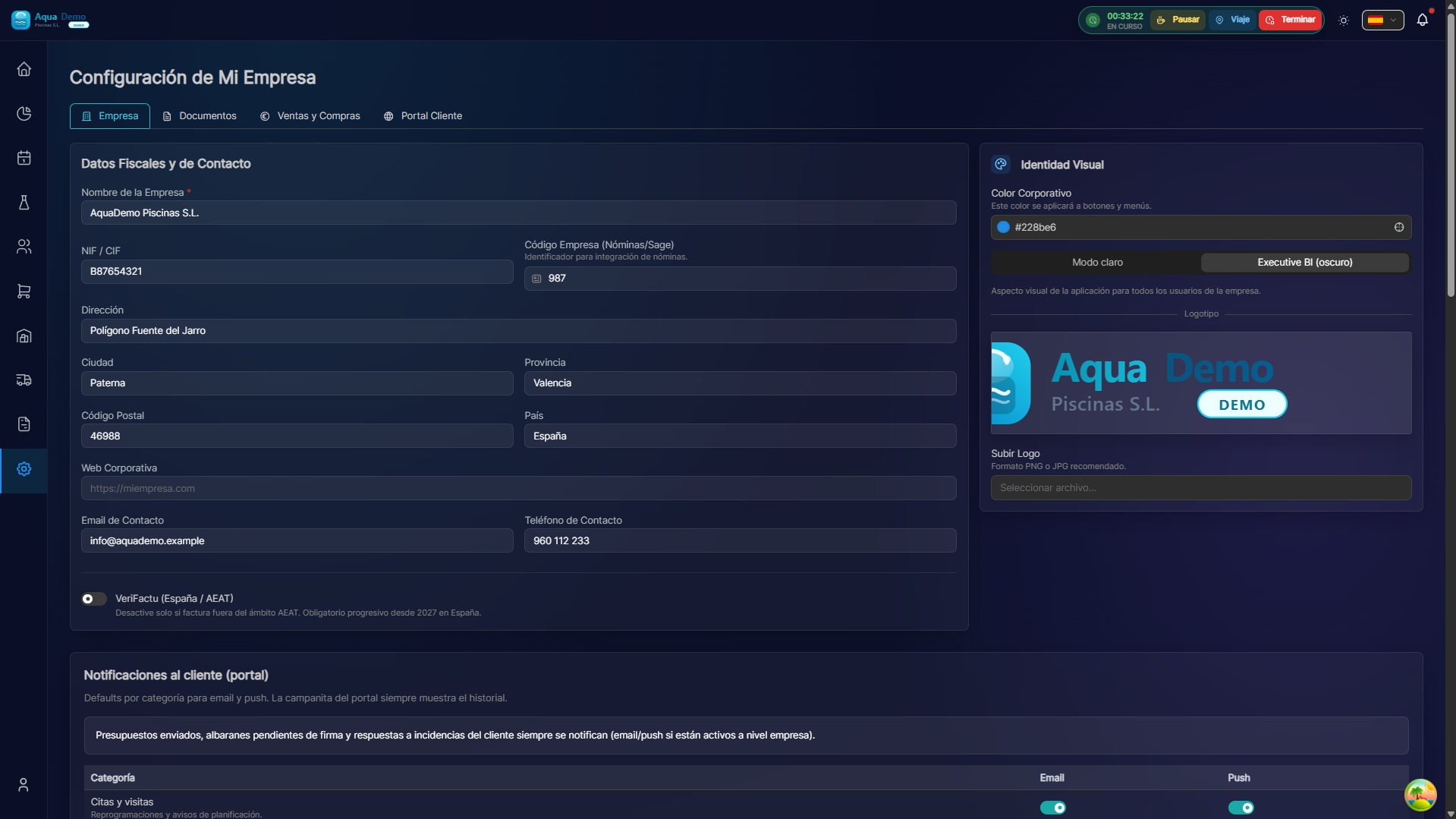
Captura con datos demo AquaDemo.Capture with AquaDemo demo data.Important: These data appear on the invoices. Let them be correct.
🎨 Visual Personalization
###Logo:
🔢 Automatic Numbering
🌍 Regional Settings
📧 Email Configuration
💾 Backups
💡 Tips
Tip 1: Professional logo
Invest in a good logo. It appears on all invoices.
Tip 2: Backup always activated
Never disable automatic copies. The day you need them...
Tip 3: Corporate email
Use an email from your domain (@yourcompany.com), not a generic one.
Tip 4: Check before billing
Verify that the tax information is correct before issuing the first invoice.
❓ Frequently asked questions
"Can I change the logo later?"
Yes, and it is updated on all new invoices. The old ones remain with the previous logo.
"What happens if I change the numbering?"
You can modify the next number, but never repeat already used numbers.
"Do backups include everything?"
Yes, clients, invoices, configuration... everything.
"Can I change currency?"
Yes, but consult with your manager. It affects accounting and taxes.
✅ Initial setup checklist
- [ ] Correct company name and CIF
- [ ] Complete tax address
- [ ] Logo uploaded (good quality)
- [ ] Defined brand colors
- [ ] Configured numbers
- [ ] Correct language and date format
- [ ] SMTP email configured and tested
- [ ] Backups activated