

🔌 Connection and Synchronization Problems
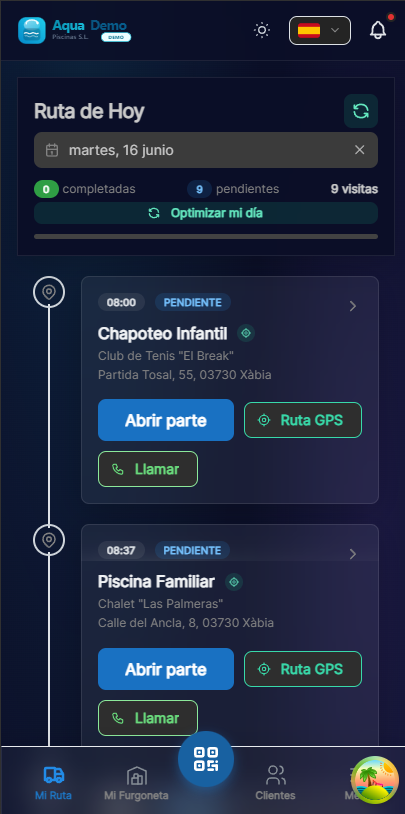
Captura con datos demo AquaDemo.Capture with AquaDemo demo data.
Level: 🟢 Easy
When the data is not saved or does not reach the server
🎯 Most common problems
| Problem | Symptom | Quick fix |
|---|---|---|
| Does not sync | Work done but does not appear on the computer | Wait until you have WiFi, do not close the app |
| "No connection" error | All the time in red | Check mobile/WiFi data |
| Duplicate data | The same visit comes 2 times | Don't double click save |
| Part was lost | I worked offline and it disappeared | Do not close app until synchronized |
📝 Step by step solution
Problem: "I worked offline and it didn't save"
Why it happens: You closed the app before it synced with the server.
Solution:
- DO NOT close the app yet
- Connect to WiFi or activate mobile data
- Open the work order you had in progress — auto-save sends data when you reconnect (~every 30s with connection)
- If the work order didn't open on its own, go back to My Route → Open work order on the matching visit
- Wait for the on-screen save confirmation (may take 1-2 minutes on weak signal)
If you already closed the app and it was lost: Contact your supervisor. If auto-save reached the server before closing, the draft (VisitDraft) may be recovered when reopening the visit.
Download first (priming)
Before leaving without coverage, on My Route tap the cloud icon (download today's route). You'll have visits, catalog and stock locally even if you lose signal.
Problem: "Constant connection error"
Check:
Do you have internet?
- Open the browser, enter Google
- If it doesn't load, the problem is your connection
Mobile data activated?
- Mobile settings → Mobile data → Activate
- Some phones have "Airplane Mode" accidentally
Does PoolControl have permission?
- Settings → Apps → PoolControl → Mobile data → Allow
Are you in an area without coverage?
- Normal in rural areas or basements
- The app saves offline, it will synchronize when you have a signal
Problem: "Duplicate data"
Why it happens: You hit "Save" several times because it didn't seem to work.
Solution:
To avoid it:
- Press "Save" ONCE
- Wait for it to finish ("Saved" appears)
- Do not press several times
If there are already duplicates:
- Notify your supervisor/administrator
- They can delete the duplicate from the computer
- Don't try to delete it yourself (you can delete both)
🔧 Advanced solutions
Clear app cache
If the app is very slow or gives strange errors:
Android:
- Settings → Apps → PoolControl
- Storage → Clear cache
- DO NOT delete data (you would lose drafts)
iPhone:
- Uninstall the app
- Reinstall from App Store
- Log in again
Refresh offline data
If today's route doesn't load well after regaining signal:
- Go to My Route with WiFi on
- Tap the cloud icon (download / refresh today's route)
- Reopen pending work orders one by one
There is no separate "sync everything" button; each work order sends on save or when the visit is completed.
❓ Frequently asked questions
"Can I work without internet all day?"
Yes. The app saves everything on the mobile. You only need internet at the end of the day to sync.
"How many days can I work offline?"
Technically many, but we recommend syncing every day. If you lose your phone, unsynchronized data is lost.
"Does synchronization use a lot of data?"
No. Only texts and numbers. Photos can be set to wait for WiFi.
"Why is the app slow sometimes?"
- Old mobile
- Many open apps
- Little free memory
- Solution: Close other apps and restart
✅ Checklist to avoid problems
Before leaving for work:
- [ ] Open the app and check that you see today's visits
- [ ] If there is poor coverage, download the route in My Route (cloud icon ☁️)
- [ ] Charge the mobile well
During the day:
- [ ] Do not close the app (minimize, do not close)
- [ ] If there is no coverage, continue working normally
- [ ] Make a mental note if something goes wrong
When finished:
- [ ] Connect to WiFi
- [ ] Wait for it to sync (green icon ✅)
- [ ] If there are errors, notify the supervisor
🔌 Connection fails, but work should not stop
Work offline and sync later. PoolControl is prepared for this.